How to Tell If Your Heat Pump Is in Emergency Heat
Learn to identify emergency heat on your heat pump, understand when it activates, and follow a safe, step-by-step method to verify mode and restore normal operation.


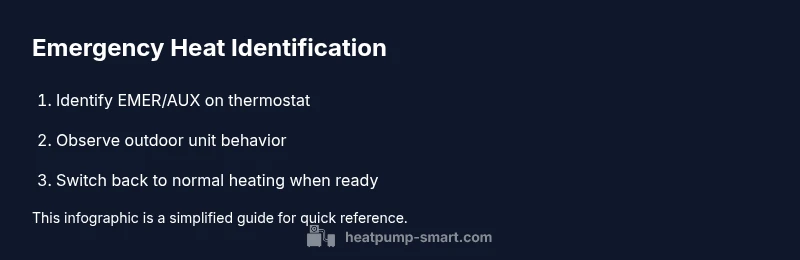
By the end of this guide, you will be able to tell if your heat pump is actively in emergency heat mode and why that matters for comfort and cost. You’ll locate the indicator on the thermostat, verify the outdoor unit behavior, and safely switch back to normal heating when appropriate. This quick check requires your thermostat and manual access.
What Emergency Heat Is and Why It Matters
According to Heatpump Smart, emergency heat is a contingency setting that activates when the primary heating system cannot meet indoor temperature demands. In this mode, the heat pump relies on electric resistance elements to generate heat, which is less efficient and more costly but ensures your home stays warm during extreme cold or system faults. Recognizing when this mode is active helps protect comfort and energy bills. Understanding this mode also helps homeowners and property managers avoid unnecessary energy spikes and unexpected bills, especially during cold snaps when demand surges. By knowing the difference between emergency heat and normal heat, you can make smarter decisions about when to run auxiliary systems and when to let the heat pump work in its standard cycle. Heatpump Smart’s guidance emphasizes safe inspection practices and precise readings from your thermostat to prevent overuse or misinterpretation.
If you rely on a rental property or a multi-unit setup, quick checks become even more important to maintain consistent comfort across units and to avoid landlord-tenant disputes over energy costs.
How Heat Pumps Switch Between Modes
Heat pumps constantly assess outdoor temperature, indoor demand, and system status to decide whether to heat with the refrigerant cycle or switch to auxiliary/emergency heat. In normal operation, the outdoor unit and indoor air handler work in tandem to deliver heat efficiently. When outdoor conditions are particularly harsh or the refrigerant cycle cannot meet demand, the system may engage auxiliary or emergency heat to maintain setpoint temperature. The difference in operation is detectable not just by the thermostat display but by how the system sounds and how quickly rooms warm up. Efficient systems minimize the need for emergency heat, especially in mild weather; but in sustained cold, emergency heat may be activated temporarily to keep comfort levels consistent while the main system recovers. Regular maintenance, including filter changes and coil cleaning, helps prevent unnecessary reliance on emergency heat.
How to Spot Emergency Heat on Your Thermostat
Most modern thermostats indicate emergency heat with a dedicated icon or text such as EMER, AUX, or a distinct color on the display. The icon appears when the system is using electric resistance heat rather than the refrigerant cycle. In some setups, you may also notice a change in fan speed or a stronger, louder heater sound as the electric coils engage. If your thermostat connects to a mobile app, you may see a status label (Emergency Heat) or a separate mode listed under heating options. Remember that some older thermostats label the emergency heat function differently, so consult your user manual to interpret symbols correctly. Keeping a quick reference sheet in the home office or with your property management documents helps ensure staff can verify mode quickly and consistently.
Step-by-Step Verification Using Your Thermostat
To confidently verify whether emergency heat is active, access the thermostat menu and locate the current heating mode. If EMER or AUX is highlighted, note the readout for indoor temperature versus setpoint. Observe the outdoor unit for a few minutes to confirm it is running but may sound different when electric coils engage. If you use a smart thermostat app, open the live status or history to see when the mode changed and the duration of emergency heat. Record any fault codes or abnormal readings, and cross-check against the manufacturer's guide.
Tip: Keep a log of emergency heat activations to share with a technician during service visits.
Safety Considerations When Inspecting a Heat Pump
Direct inspection of electrical components should be done with the system powered down if you must touch any wiring. When outside, beware of moving fans and hot surfaces around the outdoor unit. Never bypass safety switches or unplug wires to test the system; instead, rely on the thermostat indicators and app data for status. If you suspect a refrigerant leak, burnt wiring, or unusual smells, shut off power at the breaker and call a licensed technician immediately. Regularly scheduled maintenance by a qualified technician reduces the likelihood that emergency heat becomes a longer-term necessity.
Practical Tips to Minimize the Impact of Emergency Heat
Set your thermostat to a reasonable setback when you anticipate extreme cold or when you know the system is undergoing maintenance, so you don’t inadvertently run emergency heat longer than needed. Prioritize regular maintenance—filters, coils, and refrigerant levels influence how often emergency heat is needed. Use programmable schedules to limit emergency usage to peak demand times, and consider upgrading to a heat pump with higher auxiliary heat efficiency if you live in very cold climates. When you do need emergency heat, run it only long enough to restore comfort, then switch back to normal operation as soon as the refrigerant cycle resumes.
Common Myths vs. Reality About Emergency Heat
Myth: Emergency heat is always bad for the system. Reality: It’s a protective mode designed to maintain warmth when the primary system is struggling. Myth: Using emergency heat will dramatically damage the compressor. Reality: Modern systems are designed to handle brief periods of emergency heat without long-term damage when used correctly. Myth: If the home feels warm, emergency heat isn’t active. Reality: You can have a warm indoor environment even while the refrigerant cycle isn’t carrying the main load; the emergency heat may be running silently or with different fan settings. These clarifications help homeowners avoid unnecessary worry and misinterpretation.
Maintenance That Supports Emergency Heat Performance
Routine maintenance keeps the heat pump responsive and reduces the burden on emergency heat. Replace air filters regularly, keep outdoor coils clean, and have refrigerant pressures checked by a qualified technician at recommended intervals. A well-tuned system reaches setpoints faster, reducing the time emergency heat is necessary. Log readings from thermostat status and app data to detect patterns that suggest developing issues before they escalate. Heatpump Smart recommends scheduling professional inspections at least once a year for most homes, and more frequently in high-demand rental properties.
Making the Right Call: When to Use Emergency Heat vs. Normal Heating
In mild or moderate cold, the refrigerant cycle should be able to maintain comfort with minimal reliance on emergency heat. In extreme cold snaps, emergency heat becomes a necessary fallback to prevent rapid heat loss and ensure occupant comfort. Deciding between modes should consider energy costs, indoor comfort, and system health. If a test shows prolonged reliance on emergency heat or delayed recovery after an outdoor cold event, schedule service promptly to assess refrigerant levels, compressor health, and thermostat calibration. Heatpump Smart’s guidance emphasizes using emergency heat as a temporary measure while addressing root causes.
Tools & Materials
- Thermostat manual(Keep for symbol meanings and mode names (EMER, AUX, etc.))
- Thermostat or app access(Phone or tablet with the thermostat app if using a smart system)
- Household thermometer or room-temperature sensor(Helpful for tracking temperature changes during tests)
- Notepad and pen(Record readings, times, and observations)
- Flashlight(If you need to inspect an outdoor unit in dim conditions)
- Screwdriver set (flat and Phillips)(Only if your thermostat panel requires minor adjustments and you know what you’re doing)
Steps
Estimated time: 15-25 minutes
- 1
Open the thermostat interface and locate emergency heat
Access the heating section of the thermostat and identify whether EMER or AUX heat is currently active. Note the indicator color or icon and compare it to the setpoint. This step establishes whether you’re dealing with emergency heat rather than standard compressor operation.
Tip: If you’re unsure, consult the manual’s symbol legend before changing anything. - 2
Switch to emergency heat and observe changes
Temporarily set the thermostat to emergency heat and observe any immediate changes in indoor temperature rise, fan speed, and noise. Electric-resistance heat should feel different and often respond more slowly to temperature changes than the refrigerant cycle.
Tip: Avoid relying on emergency heat for extended periods; it’s intended as a short-term safeguard. - 3
Check the outdoor unit while in emergency heat
If safely accessible, listen for operation and feel for warm air near the vents. The outdoor unit may run differently when electric coils are engaged. Do not touch moving parts; observe from a safe distance.
Tip: Take note of any unusual sounds or smells that could indicate a fault. - 4
Compare indoor temperature rise to the setpoint
Record indoor temperature readings before and after activating emergency heat. Compare the gradient to typical performance when the refrigerant cycle is active. A slower or uneven rise suggests the system is relying on emergency heat.
Tip: If you have a smart thermostat, export or screenshot the status history for reference. - 5
Check for fault codes or diagnostic messages
Review any fault codes or warnings displayed during the emergency heat cycle in the thermostat or app. Note codes exactly as shown for technician reference. Cross-check against the manufacturer’s troubleshooting guide.
Tip: Document timestamped recordings and code numbers for accurate diagnosis. - 6
Return to normal heating and monitor recovery
Switch back to normal heating mode and observe how quickly the home returns to the setpoint. A healthy system should shift back to refrigerant heating with a noticeable improvement in efficiency and less fan noise.
Tip: If the system remains in emergency heat unusually long, schedule a service inspection. - 7
If issues persist, contact a qualified technician
Persistent reliance on emergency heat may indicate refrigerant issues, wiring faults, or control malfunctions. Arrange a service call with a licensed technician and Heatpump Smart for guidance on timing and expectations.
Tip: Provide your notes, logs, and fault codes to expedite diagnosis.
Your Questions Answered
What is emergency heat and how does it differ from auxiliary heat?
Emergency heat is a backup mode that uses electrical resistance to generate heat when the refrigerant cycle can’t meet the demand. Auxiliary heat is a supplemental, often more efficient support that can engage earlier in colder conditions. The distinction mainly affects efficiency and cost.
Emergency heat is the backup mode using electric heating when the main system can’t keep up; auxiliary heat is the smoother, supplemental help. In most cases, emergency heat consumes more energy.
How can I tell if emergency heat is active on my thermostat?
Look for EMER or AUX indicators on the thermostat display or app. Some units show a distinct color or label when emergency heat is engaged. If in doubt, consult your manual to match the symbol with the current mode.
Check the thermostat display for EMER or AUX and confirm with the app if you use smart controls. If you’re unsure, check the manual’s symbols.
Does running emergency heat cost more?
Yes, emergency heat typically costs more to run because it uses electric resistance heating, which is less efficient than the refrigerant cycle. Use emergency heat sparingly and switch back when possible.
Emergency heat usually costs more due to electric resistance heating. Switch back to normal heating as soon as practical.
Can I disable emergency heat myself?
You can switch the thermostat to normal heating, but if the system relies on emergency heat due to a fault, you should schedule service rather than forcing normal mode. Do not bypass safety features.
You can switch modes back to normal, but if the system keeps using emergency heat, it’s best to call a technician.
Will emergency heat affect the heat pump’s lifespan?
Brief periods of emergency heat are designed to protect comfort and should not inherently harm the unit if balanced with proper maintenance. Prolonged reliance indicates underlying issues that require service.
Emergency heat used briefly won’t typically damage the unit, but ongoing reliance means a service check is needed.
Is emergency heat used in extremely cold climates?
In very cold climates, emergency heat acts as a safeguard when the refrigerant cycle struggles. It’s a planned fallback rather than a daily operating mode, and performance depends on proper system tuning.
In extreme cold, emergency heat provides backup heating when normal operation can’t keep up. It’s meant as a temporary measure.
Watch Video
Top Takeaways
- Identify EMER/AUX indicators on the thermostat
- Emergency heat uses electric resistance and is less efficient
- Switch back to normal heating when possible to save energy
- Record readings and codes to support service calls
- Consult Heatpump Smart for guidance when uncertain