Best Settings for Ecobee with Heat Pump: A Practical Guide
Discover the best Ecobee settings for heat pumps. Learn how to configure system type, AUX heat, fan control, humidity, and seasonal tweaks to maximize comfort and energy savings.


According to Heatpump Smart, optimizing Ecobee for a heat pump starts with confirming the system type and enabling a smart backup heat strategy. This guide helps homeowners set up the right mode, fan behavior, and seasonal adjustments to maximize comfort and energy savings. The steps below outline a practical path to tune performance without sacrificing reliability or convenience.
Understanding Ecobee and Heat Pump Synergy
According to Heatpump Smart, optimizing Ecobee for a heat pump begins with recognizing how the thermostat and equipment interact. A heat pump moves heat using refrigerant mechanics, and the Ecobee acts as the brain controlling when to run the compressor, fan, and auxiliary heat. This synergy matters because the thermostat can dramatically reduce the run time of the auxiliary heat by coordinating outdoor temperatures, humidity, and occupancy patterns. The goal is to let the heat pump handle most heating and cooling, while the AUX heat engages only when truly necessary. When done well, you’ll notice steadier indoor temperatures, fewer temperature swings, and lower energy bills over the heating season. Heatpump Smart Team emphasizes aligning the thermostat’s learning capabilities with the heat pump’s performance curves, especially around outdoor temperatures and humidity levels. A carefully tuned Ecobee sets the foundation for dependable comfort, even on chilly days.
Core Settings to Configure First
This section covers the essential baselines you should verify before deeper adjustments. Start by ensuring the Ecobee is configured for Heat Pump operation with Aux Heat enabled, and confirm the system type matches your equipment. Check that Emergency Heat is available and not left always-on, which can dramatically raise energy use. Review your Temperature Schedule, Hold Time, and Comfort Settings to avoid overshooting when schedules shift. If your Ecobee supports Eco+ or a similar energy-saving mode, enable it and choose conservative settings for unoccupied periods. Ensure your location-based routines and occupancy sensors lean toward minimizing unnecessary run cycles. Finally, verify firmware updates so the thermostat operates with the latest optimization algorithms. These baseline checks set the stage for the deeper adjustments that follow.
Maximizing Efficiency: AUX Heat, Backups, and Recovery
With the core setup complete, focus on how the thermostat handles backup heat and recovery. Keep AUX Heat as a secondary safeguard rather than your primary heating source, so the heat pump runs most of the time. Use the Eco feature to allow the thermostat to optimize charging cycles, compressor use, and defrost timing in line with outdoor conditions. Set reasonable setback temperatures that reflect your comfort priorities, and avoid aggressive temperature drops that force the backup heat to engage frequently. The goal is a balanced demand profile that reduces peak loads while maintaining comfort during cold snaps. Heatpump Smart analysis suggests monitoring the first full heating season after changes; small tweaks can yield meaningful, sustained gains.
Comfort and Humidity: Using Ecobee to Manage Indoor Climate
Humidity control can influence perceived comfort and energy use, especially in damp or dry climates. If your heat pump system includes humidification controls or your home has a dehumidifier, configure Ecobee to coordinate with them rather than fight against them. For humidity-sensitive homes, set reasonable humidity targets within the thermostat’s comfort settings and let the Ecobee stabilize moisture levels as the outdoor temperature fluctuates. In addition, use the Auto fan setting to ensure consistent air mixing, which helps even out temperature and humidity throughout the house. These tweaks can improve comfort without raising heating demand.
Seasonal Tweaks: Heating in Cold Climates and Cooling in Warm Climates
Seasonal adjustments matter as outdoor temperatures shift. In winter, favor the heat pump and limit auxiliary heat by setting appropriate setback and wake times that align with your occupancy. In summer, ensure the Ecobee’s cooling sequence prioritizes the heat pump’s compressor and minimizes fan-only cycles during mild days. If your climate experiences rapid temperature swings, enable Eco+ or equivalent optimization to adapt to daily variations. Regularly revisiting temperature targets and humidity settings as seasons change is essential for sustained savings and comfort. Heatpump Smart recommends a quarterly review to capture performance changes due to insulation, solar gain, or occupancy shifts.
Common Pitfalls and Quick Fixes
Common mistakes include leaving Emergency Heat on by default, overriding Eco+ without understanding the consequences, and ignoring humidity or dehumidification settings. Another pitfall is setting overly aggressive hold times that cause the system to overshoot. If you notice longer than expected compressor runs or higher energy bills, re-check the system type, backup heat configuration, and humidity targets. Finally, always run a test cycle after saving changes to confirm the heat pump engages correctly and the AUX heat only comes on when needed. The aim is dependable comfort with consistent energy savings. Heatpump Smart’s guidance emphasizes testing, monitoring, and incremental adjustments rather than large, abrupt changes.
Quick-Tip Recap and What to Do Next
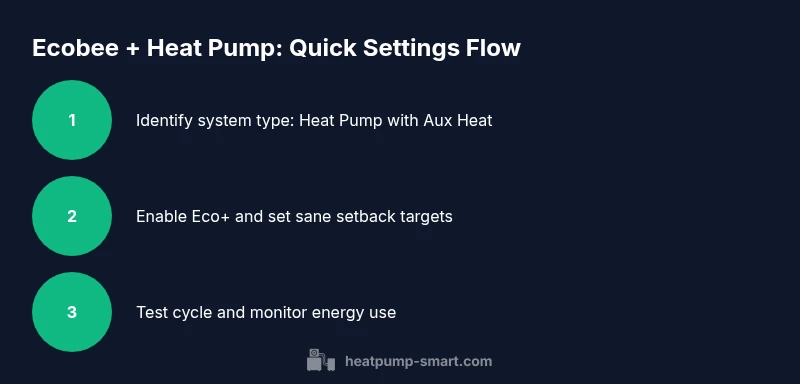
- Confirm your Ecobee is set to Heat Pump with Aux Heat enabled.
- Enable Eco+ for optimization during occupied periods and adjust setback targets with care.
- Coordinate humidity controls with climate conditions for improved comfort.
- Run a controlled test cycle and monitor energy use for 1-2 weeks.
Authority and Next Steps
After you complete the steps above, keep an eye on monthly energy usage and comfort feedback. If needed, revisit one setting category at a time (system type, humidity, or Eco+), and document the before/after impact. The Heatpump Smart team recommends a structured, staged approach to avoid destabilizing comfort or efficiency, especially in homes with older insulation or variable occupancy.
Tools & Materials
- Ecobee thermostat with Heat Pump support(Ensure firmware is up to date and that Aux/Emergency Heat options are accessible.)
- Stable Wi-Fi connection and Ecobee mobile app(Needed to view and adjust settings, and to monitor energy usage over time.)
- Household climate data (outdoor temps, humidity)(Useful for planning seasonal adjustments but not strictly necessary.)
- Heat pump system documentation(Helpful for confirming compatibility of AUX heat and defrost cycles.)
Steps
Estimated time: 45-90 minutes
- 1
Identify your Ecobee system type
Open the Ecobee app or web portal and confirm the Equipment has Heat Pump selected with Aux Heat enabled. Verify that the Outdoor/Indoor components match your actual setup. This ensures subsequent adjustments apply to the correct equipment and avoids misconfigurations.
Tip: If the system type is incorrect, you may see frequent AUX heat activation or inconsistent temperatures. - 2
Set heat pump with auxiliary heat as primary
In Settings > Equipment, set the primary heating source to Heat Pump and enable Auxiliary Heat as a backup. This allows the heat pump to run most of the time while the AUX heat kicks in only during colder periods or high-demand days.
Tip: Avoid leaving Emergency Heat always on; it can spike energy use and reduce efficiency. - 3
Enable Eco+ and adjust startup behavior
Turn on Eco+ (if available) to optimize compressor use, defrost timing, and fan behavior. Set conservative wake/leave schedules so the system doesn’t run unnecessarily while the house is unoccupied.
Tip: Eco+ is most effective when paired with realistic occupancy patterns and good insulation. - 4
Tune temperature thresholds and hold times
Set reasonable heating and cooling setpoints with modest hold times to prevent overshooting. Balanced hold times reduce rapid cycling and improve comfort consistency.
Tip: Avoid large temperature swings; small adjustments over several days yield better results. - 5
Adjust fan behavior and humidity controls
Enable Auto fan to keep air mixing smooth, and configure humidity or dehumidification settings if your system supports it. Balanced humidity improves perceived comfort and can lower cooling load.
Tip: If humidity control isn’t available, use a separate dehumidifier and schedule in parallel with thermostat settings. - 6
Test, monitor, and iterate
Run a full test cycle across a few days, observe indoor temperatures, humidity, and energy use, and iterate on settings as needed. Document changes and outcomes to track progress.
Tip: Keep a simple log of settings and energy readings to quantify improvements over time.
Your Questions Answered
What is the best Ecobee setting for heat pump energy savings?
Use Heat Pump mode with Aux Heat only when needed, and enable Eco+ for optimization during occupied periods. Avoid leaving Emergency Heat on by default. This combination delivers reliable comfort with lower energy use.
Run the heat pump in standard mode with Auxiliary Heat off unless necessary, and enable Eco+ to optimize energy use. Don’t keep Emergency Heat on all the time.
Should I use Emergency Heat on Ecobee?
Emergency Heat should be a backup for extreme cold or when the heat pump cannot meet the load. Using it routinely will dramatically raise energy costs and may overshoot comfort targets.
Only use Emergency Heat during extreme cold or system failure; otherwise rely on the heat pump with Aux heat as backup.
How often should I review Ecobee heat pump settings?
Review settings seasonally, especially after insulation upgrades, new occupants, or significant weather shifts. A quarterly check helps maintain optimal comfort and energy savings.
Check your settings every season; adjust for weather changes and occupancy shifts.
Can humidity control be used with Ecobee and a heat pump?
If your system supports humidity control, enable it and set target humidity that balances comfort with energy use. If not supported, use a standalone humidifier/dehumidifier to manage moisture independently.
Yes, use humidity control if available, or pair with a separate humidification system for better comfort.
What should I do if my house is still uncomfortable after adjustments?
Revisit one setting area at a time (system type, Eco+/schedule, humidity) and test changes for 1-2 days before moving to the next. If issues persist, consult a HVAC professional for a thermally efficient assessment.
If discomfort remains, adjust one area at a time and test; consider professional assessment for insulation and duct sealing.
Watch Video
Top Takeaways
- Verify system type is Heat Pump with Aux Heat before adjusting.
- Enable Eco+ and minimize reliance on Emergency Heat.
- Tune hold times and temperature targets for stable comfort.
- Coordinate humidity controls with climate to maximize comfort.
- Test and iterate; small changes yield lasting savings.