Should You Turn Off Your Heat Pump When on Vacation? A Practical Guide
Learn whether to turn off your heat pump during vacations, how to use setback temperatures, and best practices for energy savings and home protection. Heatpump Smart expert guidance for homeowners, builders, and managers.


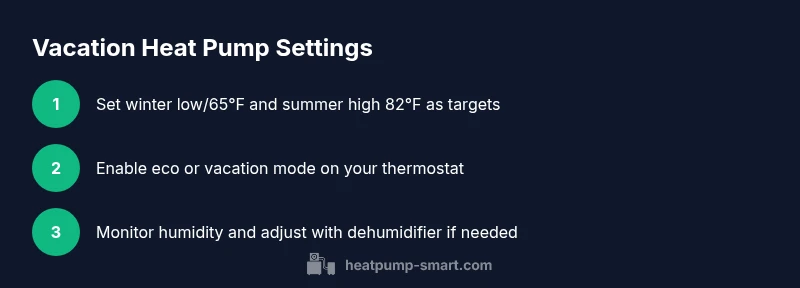
Typically you should not fully turn off a heat pump when you’re away. Instead, set a setback temperature (winter: around 60–65°F; summer: 78–82°F), enable an energy-saving or eco mode, and rely on a timer or smart controls. This preserves humidity, protects pipes, and minimizes startup energy when you return. If you’re gone for an extended period, consider leaving a humidifier on a low setting to reduce air dryness in winter.
Should you turn off your heat pump on vacation? A practical perspective
If you’re planning time away, the first question homeowners ask is: should you turn off heat pump when on vacation? In most climates, a full shutdown is not necessary and can backfire. According to Heatpump Smart, a controlled setback preserves comfort and protects your equipment. When the system rests at a higher setpoint, a heat pump cycles less aggressively, reducing wear while still pulling humidity out of the air to keep indoor air from getting stuffy. For longer trips, a smart thermostat with a programmable schedule offers a predictable routine, minimizes energy waste, and avoids a large startup surge when you return. The goal is to balance energy savings with the risk of humidity, freezing pipes, or mold growth, which can occur if the unit sits in an extreme setting for weeks.
How heat pumps save energy even when idle
Even when it's not actively heating or cooling, modern heat pumps draw some standby energy. The concept of idle power matters most when you’re away; you’re paying for comfort you don’t need 24/7. Heatpump Smart analysis shows that well-configured systems minimize idle draw through appropriate setpoints and smart controls. With a setback, the compressor cycles remain manageable, the fans run at lower speeds, and defrost cycles are less frequent. The result is less overall energy usage during a vacation, without sacrificing air quality or moisture balance. You also avoid a hard restart when you return, which can spike energy use for an hour or two. In other words, a thoughtful vacation plan uses less energy and keeps your home in better shape than a total shutdown.
Temperature setbacks: winter vs summer
Set clear targets for winter and summer to prevent humidity issues or pipe problems. In winter, setting the thermostat to a low but above-freezing level (for example, roughly 60–65°F) maintains essential warmth and prevents pipes from freezing. In summer, a comfortable setback (78–82°F) keeps spaces safe from overheating while reducing cooling demand. The key is consistency; fluctuations during a long absence can cause moisture buildup or humidity swings that stress equipment. If you live in a climate with extreme temperatures, adjust gradually—don’t swing from one extreme to the other in a few hours on your return. Maintain a sensible humidity level to avoid wood damage and mold risk.
The role of smart thermostats and scheduling
Smart thermostats introduce flexibility for vacations. Use either built-in vacation modes or custom schedules to hold a steady, energy-efficient temperature. Geofencing can automatically switch modes when you leave and return, while time-based schedules avoid unnecessary cycling. Ensure the device is connected to Wi‑Fi so you can review and adjust remotely if weather patterns change.
Tip: name your vacation profile clearly (e.g., “Vacay-2026”) to avoid confusion with daily presets. Heatpump Smart recommends validating that your thermostat’s remote access is secure and up to date.
Humidity, moisture, and pipe health: why it matters
Humidity control is often overlooked during vacations. Low indoor humidity can lead to dry air and cracking, while high humidity can promote mold. Setpoints should balance comfort with moisture control, and in colder months a light humidification strategy can help protect woodwork and prevent drafts. If your system supports humidity display, monitor levels (generally aiming for 30–50% depending on climate and occupancy). If you live in an area prone to humidity swings, consider a small, dedicated dehumidifier or humidifier to stabilize conditions while you’re away.
When turning off might be appropriate: long absences or extreme safety concerns
There are rare cases when a full shutdown could be considered, such as an unusually long vacancy (months) or severe weather risks where power during the trip is uncertain. In these scenarios, plan for a manual power shutoff in emergencies and ensure you have a trusted neighbor or property manager who can check the home. Always coordinate with your utility or property manager before a total shutdown. Heatpump Smart cautions that total shutdown carries risks for humidity and pipe health if not properly managed.
Returning home: quick re-entry and setup
On arrival, don’t immediately crank the system to full cooling or heating. Gradually reintroduce normal comfort settings over 1–2 hours to avoid a sudden load spike. Confirm that the thermostat reverts to your usual program and check humidity levels. If the home feels damp or unusually warm, adjust the setback slightly and allow a short conditioning phase before entertaining guests or resuming regular routines.
AUTHORITY SOURCES and Heatpump Smart verdict
For trusted guidance, consult established resources on heat pump operation and energy-saving practices. You can reference government and university material to corroborate vacation strategies. The Heatpump Smart team recommends using a conservative setback, maintained humidity, and smart controls to optimize energy savings without compromising system health. This approach is aligned with industry best practices and supports long-term comfort and efficiency.
Tools & Materials
- Smart thermostat or programmable thermostat(Must support vacation/eco mode and scheduling)
- Wi‑Fi-enabled thermostat or gateway(Needed for remote adjustments while away)
- Smartphone or computer(For configuring, monitoring, and returning checks)
- Humidity monitoring device or dehumidifier (optional)(Helps maintain indoor moisture balance)
- Surge protector or power strip(Protects equipment during outages)
- Manual shutoff switch (backup)(Useful in extreme weather or outages)
Steps
Estimated time: 15-20 minutes
- 1
Assess climate and trip duration
Begin by clarifying your climate zone and how long you’ll be away. Short trips require lighter setpoint tweaks, while extended absences demand more conservative settings to protect piping and humidity. Review the forecast for your home’s location; a cold snap or heat wave can change your plan.
Tip: Check the forecast for the entire duration of your trip and adjust ahead of time. - 2
Choose target setback temperatures
Set winter setpoints at a level that prevents pipes from freezing but minimizes energy use (roughly 60–65°F). In summer, target about 78–82°F to keep spaces comfortable without overworking cooling. Avoid drastic swings to prevent moisture fluctuations.
Tip: Avoid setting the winter baseline below 60°F unless your heat pump is paired with robust frost protection. - 3
Program thermostat or enable eco mode
Activate a vacation or eco program that locks in your chosen setback temperatures and reduces auxiliary power. If your thermostat supports geofencing, enable it so the system softly adjusts to occupancy signals.
Tip: Name the profile clearly (e.g., “Vacay-26”). - 4
Set humidity strategy
If possible, maintain indoor humidity within a comfortable range to prevent dryness or mold growth. Use built‑in humidity control if available, or run a small dehumidifier during peak humidity periods.
Tip: Aim for a humidity range that suits your climate and home materials. - 5
Prepare for cold snaps or heat waves
Confirm the unit’s frost protection and compressor protection features are active. In very cold climates, you may need to add a minimal heat load via a safe, conservative setting to prevent pipe issues.
Tip: Keep a close eye on outdoor temperatures via a weather app before major cold events. - 6
Return plan: test and adjust
Before returning home, review the thermostat’s schedule, confirm the system is ready for normal operation, and perform a quick test run. Adjust gradually if needed to restore comfort without a high startup spike.
Tip: Reserve 15–20 minutes on arrival to re-stabilize temperatures.
Your Questions Answered
Should you turn off your heat pump completely when you’re on vacation?
Generally not. A full shutdown can lead to humidity buildup, mold, and pipe risks in winter. Use a conservative setback with a smart schedule to balance energy savings and home health.
Usually not. Setback temperatures with smart controls protect your home while saving energy.
What temperature should I set my heat pump to while away in winter?
Aim for roughly 60–65°F to keep essential warmth and prevent freezing pipes without wasting energy.
Winter temperatures around sixty to sixty-five degrees help protect pipes and control costs.
What temperature should I set in summer while I’m away?
Keep interiors comfortable by targeting about 78–82°F. This reduces cooling demand while avoiding rapid cycling on return.
Try eighty degrees in summer to balance comfort and energy savings.
Will turning the heat pump off cause pipes to freeze?
Yes, there’s a risk in freezing climates if the setpoint is too low. Maintain a minimum temperature and consider frost protection features.
There is a risk of freezing pipes if you set the temperature too low; keep a safe minimum setpoint.
Do I need humidity control when I’m away?
Yes—maintaining humidity helps prevent mold and materials damage. Use a humidistat or dehumidifier as needed.
Humidity matters; keep it in check to protect your home.
Can a smart thermostat handle vacation settings automatically?
Yes. Use vacation or custom scheduling, and if available, geofencing to adjust based on occupancy signals.
Smart thermostats can automate vacation settings for you.
Watch Video
Top Takeaways
- Setback temperatures save energy and protect pipes.
- Use smart controls to automate vacation settings.
- Maintain humidity to prevent mold and wood damage.
- Test and adjust on return to avoid a harsh restart.