How to Control a Heat Pump: A Step-by-Step Guide
Learn how to control a heat pump efficiently with a practical, step-by-step guide. Explore thermostat interfaces, mode settings, energy-saving tips, and safety checks for year-round comfort.


You will learn how to control a heat pump by following a concise, step-by-step routine that covers thermostat interfaces, mode settings, and safety checks. This quick guide helps you adjust heating, cooling, and energy-saving features with confidence, including when to call a pro. Use the steps below to start controlling your system today.
Understanding the control landscape for heat pumps
When you're learning how to control a heat pump, the first step is understanding the interface options and how they affect performance. According to Heatpump Smart, most control decisions start with the thermostat interface. The Heatpump Smart team found that clear mode labels and consistent setpoints reduce confusion, improve reliability, and help homeowners keep comfort steady while saving energy. This foundation sets how you interact with the system and lays the groundwork for the deeper steps that follow. A well-chosen interface makes it easier to apply the right settings during seasonal changes and peak usage periods, which translates to fewer complaints from residents and less wear on components over time.
Interfaces and how they affect control
There are several ways to control a heat pump, from basic mechanical thermostats to modern smart systems. Traditional digital wall units offer straightforward temperature adjustments, while smart thermostats connect to Wi‑Fi and enable remote control, scheduling, and learning features. Mobile apps, voice assistants, and home automation platforms provide convenience but require secure setup and regular software updates. The Heatpump Smart analysis shows that smart interfaces generally improve scheduling accuracy and allow you to monitor energy use more effectively. Choose an interface that matches your comfort goals, technical comfort, and budget, then commit to consistent usage so the system can respond predictably.
Optimizing control for comfort and efficiency
Efficient heat pump operation hinges on consistent target temperatures and appropriate mode selection. Use Auto or Climate Control modes to let the system switch between heating and cooling as needed, rather than manually juggling settings for every change in weather. Programming a simple, regular schedule helps the system learn your preferences and reduces unnecessary cycling. If your home has zones, consider zone controls to tailor temperatures to different areas, which can dramatically improve comfort while lowering energy usage. Remember to keep filters clean and ensure outdoor units are free of debris, as airflow restrictions can waste energy and reduce comfort.
Troubleshooting common issues when controlling a heat pump
If your heat pump won’t respond to changes, start by verifying the interface is communicating with the outdoor and indoor units. Check Wi‑Fi connectivity for smart thermostats and confirm there are no mute or sleep settings preventing responses. If the system runs excessively or fails to reach setpoints, inspect air filters, vents, and refrigerant-related warnings on the control panel. Frost buildup on outdoor coils or unusual cycling can indicate airflow problems or a need for professional service. Always consult the manual for model-specific troubleshooting steps before proceeding.
Safety and professional boundaries
Working with electrical controls and refrigerant systems requires respect for safety guidelines. Before making any adjustments, turn off equipment if you’ll touch wiring or power-sensitive components and never bypass safety switches. Keep a clear log of changes and restore defaults if you’re unsure about a setting. If you encounter refrigerant-related issues, metal smells, or signs of condenser coil damage, contact a licensed technician immediately. The Heatpump Smart team emphasizes using official manuals and manufacturer recommendations to avoid voiding warranties and ensure safe operation.
Tools & Materials
- Smart thermostat or compatible wall unit(Ensure compatibility with your heat pump model)
- Smartphone or tablet with HeatPump Smart app(Install and log in before starting)
- Stable Wi‑Fi network(Needed for app control and remote access)
- Your heat pump user manual(Model-specific settings and safety information)
Steps
Estimated time: 40-60 minutes
- 1
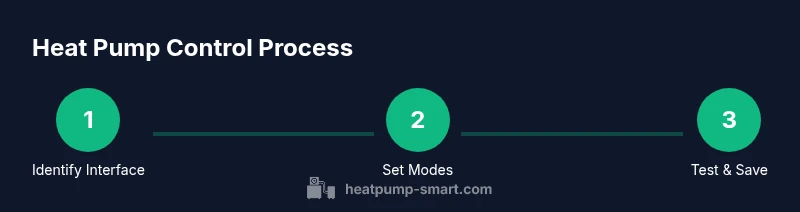
Identify your control interface
Locate the thermostat, wall control panel, or mobile app that will manage the heat pump. Confirm it is compatible with your system and connected to power or Wi‑Fi as required. This initial check prevents later confusion about which controls to use.
Tip: If you’re starting with a new device, take a photo of the control layout for quick reference. - 2
Check current mode and setpoints
Look at the current mode (heat, cool, auto, or emergency) and note the target temperatures. Adjust only one parameter at a time to observe its effect on performance and comfort.
Tip: Use the auto or climate mode to minimize manual adjustments and keep consistent comfort. - 3
Set a baseline efficiency target
Choose a simple daily or weekly schedule that aligns with occupancy and climate. Prioritize gradual changes to prevent large temperature swings and energy spikes.
Tip: Avoid frequently overriding the schedule during the day; let the system respond to the programmed times. - 4
Enable energy-saving features
Turn on features such as Eco mode, setback/sleep schedules, and learning algorithms if available. These features help the system optimize runtimes without sacrificing comfort.
Tip: Review feature descriptions in the manual to understand space conditions where a feature is most effective. - 5
Test the response and safety
Make a few controlled changes and observe how quickly the system responds. Listen for unusual noises and check for frost or restricted airflow on outdoor components.
Tip: If anything seems off, revert to a known good setting and document the behavior for future reference. - 6
Document and schedule maintenance
Keep a log of changes, performance notes, and dates for filter cleaning or professional service. Schedule an annual system check to maintain efficiency and prevent unexpected failures.
Tip: Set calendar reminders to review settings and inspect the outdoor unit seasonally.
Your Questions Answered
What does the auto mode do on a heat pump?
Auto mode allows the heat pump to switch between heating and cooling to maintain the target temperature without manual intervention. It adjusts to changing conditions for consistent comfort.
Auto mode lets the heat pump handle heating and cooling automatically to keep conditions steady.
Can I control a heat pump remotely?
Yes, with a compatible smart thermostat and app. Ensure secure login and keep your software up to date for best results.
Yes, you can control it remotely using the app, with secure login.
Why is my heat pump running continuously?
Causes include extreme weather, incorrect setpoints, or dirty filters. Check that the thermostat isn’t forcing a high load and clean filters before seeking deeper diagnostics.
If it runs all the time, check setpoints and filters first, then investigate further.
Is it safe to adjust heat pump settings myself?
Basic adjustments are generally safe when following the manual. Avoid altering refrigerant or electrical components; consult a pro for complex tasks.
Only adjust what the manual allows; contact a pro for anything complicated.
How often should I schedule maintenance?
Schedule an annual professional check and perform monthly filter cleanings to maintain efficiency and prevent unexpected failures.
Have an annual professional check, and clean filters monthly.
What is frost protection and should I enable it?
Frost protection helps prevent outdoor coil freezing in cold climates. Enable it only if your manual recommends it, and contact a tech if frost forms.
Frost protection helps prevent freezing; use it if your manual advises.
Watch Video
Top Takeaways
- Identify your control interface and ensure connectivity.
- Use auto modes and simple schedules for comfort and efficiency.
- Test changes safely and document maintenance reminders.
- Know when to call a pro for safety or refrigerant concerns.