How to Set Heat Pump Temperature
Learn step-by-step how to set your heat pump temperature for comfort and energy savings. This guide covers ideal ranges, thermostat navigation, seasonal adjustments, and practical tips from Heatpump Smart.


Definition: This quick guide shows how to set heat pump temperature for comfort and energy efficiency, through safe adjustments to thermostat settings, mode selections, and verification steps. Follow the steps to avoid overcooling, underheating, and excessive cycling. Heatpump Smart shares practical guidance for both heating and cooling seasons. This snapshot helps homeowners, builders, and managers act confidently.
Why Getting the Temperature Right Matters
According to Heatpump Smart, the right heat pump temperature balance improves comfort and reduces overall energy use. When temperatures are too high in cooling mode or too low in heating mode, the system works harder, cycling more frequently and wearing components faster. Small adjustments can yield big gains in comfort, reduced utility bills, and longer equipment life. In this section, we explore how temperature affects indoor climate, humidity management, and the efficiency of variable-speed compressors that many modern heat pumps use. By understanding the relationship between setpoints, outdoor conditions, and your home’s insulation, you can dial in a steady, efficient comfort level without sacrificing performance. Heatpump Smart’s guidance emphasizes clear goals: steady temperature, minimal cycling, and predictable energy use across seasons.
Understanding Temperature Ranges for Heat Pumps
Temperature ranges for heat pumps are influenced by climate, house insulation, and occupant comfort. A typical residential approach targets a heating setpoint around the mid-60s to low-70s Fahrenheit and a cooling setpoint in the mid-70s to upper-70s. The goal is to balance comfort with savings, avoiding aggressive heating or cooling that triggers frequent cycling. In humid climates, slightly higher cooling setpoints can improve comfort and reduce dehumidification load. Heat pumps often optimize performance using advanced controls like fan speed, setback routines, and adaptive recovery, so minor adjustments to the schedule can produce noticeable improvements in energy efficiency. This section offers practical benchmarks and explains how to tailor them to your home.
Accessing the Thermostat and Understanding the Interface
Begin by locating the thermostat control, whether wall-mounted, a smart home hub, or a connected app. Ensure you have administrator access if your system is managed by multiple users. Review the current mode (heat, cool, auto, or emergency heat) and observe how the unit responds to small changes. If your system uses zones or dampers, your setpoint may apply differently by space. Document the current settings before making changes, so you can compare performance over the next 24–48 hours. For smart thermostats, explore advanced features like hold, temporary override, and scheduling. These tools help you experiment without disrupting daily routines.
Heating vs Cooling: How to Set Points for Each Mode
When heating, aim for a comfortable baseline while avoiding excessive warming, which can drive up energy use. In cooling, setpoints should prevent the space from becoming uncomfortably warm during peak heat hours while keeping the system from overworking. If your climate has significant seasonal swings, consider temporary setbacks (e.g., a 2–4 degree difference overnight) to reduce energy use, then use adaptive recovery to return to the desired comfort level before morning. In both modes, verify that the thermostat is correctly communicating with the heat pump and that any wi-fi connections are stable. If you have a dual-fuel hybrid, be mindful of how the auxiliary heat interacts with setpoints.
Seasonal Adjustments and Humidity Considerations
Seasonal shifts often require different setpoints to maintain comfort and humidity control. In winter, a lower heating setpoint reduces strain on the compressor and minimizes heat loss through drafts. In summer, higher cooling setpoints can help with dehumidification and prevent excessive condensation. Humidity plays a critical role in perceived comfort; if humidity rises, you may notice the need to slightly adjust cooling setpoints or enable dehumidification features. Some heat pumps include adaptive humidity control and smart fan settings that help manage moisture without large temperature swings. Use these tools to maintain comfort while protecting indoor air quality.
Common Mistakes and How to Avoid Them
Common errors include setting the thermostat too low in winter or too high in summer, skipping validation after changes, and failing to consider solar gains and occupancy. Another pitfall is relying on a single setpoint year-round without accounting for time-of-day or weather. To avoid these issues, implement a simple testing plan: change the setpoint by a degree or two, wait for stabilization, and assess comfort and energy use over 24 hours. Keep a log of changes and outcomes, especially in the first warm season after installation. If your system has a RESOLUTION or vacation mode, use it to prevent unnecessary cycling when spaces are unoccupied.
Verifying Changes and Troubleshooting
After adjusting, observe system behavior for 24–48 hours. Confirm that the heat pump maintains the new setpoint within a reasonable tolerance (often 1–2 degrees) and that there is no excessive cycling. If the unit runs continuously or short-cycles aggressively, recheck wiring, thermostat compatibility, and sensor placement. For multi-zone setups, verify that each zone maintains its target temperature without undesired drift. If problems persist, consult the thermostat’s manual and consider a service check to rule out sensor or refrigerant issues. Regularly reviewing performance helps prevent surprise bills and ensures reliable comfort.
Practical Scenarios for Different Homes
Smaller homes with good insulation often benefit from tighter control and smaller setpoint changes, while larger homes or those with open floor plans may require more frequent adjustments or zone-based strategies. If you use a heat pump with a variable-speed compressor, you’ll notice smoother temperature transitions and quieter operation when you stage setpoints rather than making large jumps. For homes with solar gain or heat sources, schedule changes to align with peak sun hours or heavy usage periods. Tailor your approach to occupancy, insulation quality, and local climate to maximize comfort and efficiency.
Tools & Materials
- Smart thermostat compatible with heat pump systems(Ensure it supports heat pump mode and auxiliary heat control)
- Access to thermostat app or control panel(Admin privileges may be required for schedule changes)
- User manual for your heat pump and thermostat(Keep it handy for model-specific instructions)
- Stable Wi-Fi or wired connection (if applicable)(Needed for smart features and remote monitoring)
- Notebook or digital log(Record setpoints, times, and comfort feedback)
- Ambient thermometer (optional)(Cross-check room temperature with thermostat reading)
- Exterior temperature reference chart (optional)(Helpful for seasonal adjustment decisions)
Steps
Estimated time: 30-45 minutes
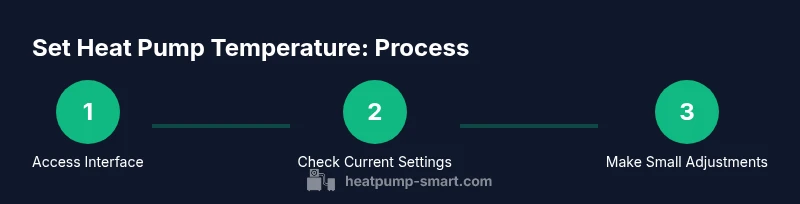
- 1
Access the thermostat interface
Open the thermostat app or wall unit. Confirm you’re on the correct system and note the current mode (heat, cool, auto, or emergency heat). This gives you a baseline to compare after adjustments.
Tip: If you’re using a mobile app, enable push notifications to alert you when the system adjusts itself. - 2
Check current setpoints and mode
Record the current heating and cooling setpoints and verify the mode. If you have zoning, note the target for each zone. This helps you see the effect of subsequent changes.
Tip: Take a screenshot or write down values before making changes. - 3
Adjust heating setpoint for comfort
Increase or decrease the heating setpoint by 1–2 degrees and observe the thermostat response. Wait 15–30 minutes for the system to stabilize and verify comfort and noise levels.
Tip: Avoid large jumps; small steps reduce the risk of overshoot and short cycling. - 4
Adjust cooling setpoint for efficiency
Similarly adjust the cooling setpoint by 1–2 degrees. Allow 15–30 minutes to stabilize and assess whether the space remains comfortable without excessive cooling.
Tip: Use soft overrides during peak heat to prevent abrupt cycling. - 5
Enable energy-saving features
Activate features like setback schedules, adaptive recovery, or smart fan control if available. These options can reduce energy use without compromising comfort.
Tip: Test a weekend schedule to evaluate performance without interrupting daily routines. - 6
Verify performance across modes
Switch between heating and cooling to ensure transitions are smooth and temperatures revert to the new targets promptly. Check for unexpected behavior or lingering humidity issues.
Tip: If mode transitions are sluggish, check for app firmware updates or sensor recalibration needs. - 7
Test with real-world conditions
Expose the system to typical daily patterns (occupancy, sunlight, appliance use) and monitor comfort and energy use. Make iterative tweaks based on observed performance.
Tip: Use a simple 3-day window to establish stable behavior before finalizing the setpoints. - 8
Document final settings and back up
Save the final, preferred setpoints and export or photograph the configuration. This ensures you can restore preferred settings after replacements or resets.
Tip: Keep a copy in your home maintenance folder or smart-home profile.
Your Questions Answered
Is it better to adjust the heat pump temperature during the day or at night?
Adjustments can be made at any time, but many people prefer scheduling changes to align with occupancy. For overnight comfort and energy savings, consider a modest setback and allow the system to recover before morning.
You can adjust day or night, but use a schedule to maximize energy savings while keeping comfort when people are home.
What is a good heating setpoint for winter in a typical home?
A comfortable winter heating setpoint often falls in the mid-60s to low-70s Fahrenheit range, depending on insulation and clothing. Start with 68–70°F and adjust by small increments while monitoring comfort and energy use.
Begin around 68 to 70 degrees and tweak modestly while watching comfort and bills.
How often should I recalibrate my heat pump temperature settings?
Recalibrate when you notice comfort issues, after major weather changes, or after a thermostat replacement. A quarterly check-up is reasonable for many homes, but adjust based on your experience.
Check settings after weather shifts or equipment changes, about every few months.
Will changing the setpoints affect humidity control?
Yes. Lower cooling setpoints can increase dehumidification, while higher heating setpoints may reduce humidity. If humidity feels off, adjust the cooling setpoint in small steps and consider dehumidification features if available.
Lowering cooling setpoints can help with humidity; adjust gradually and use dehumidification if available.
Is it safe to override smart schedules during holidays?
You can override schedules temporarily, but remember to return to your normal setpoints. Note that long overrides may increase energy use, so plan a reversion.
Yes, but return to your regular schedule after the holiday to avoid waste.
How can I tell if my heat pump is cycling too often?
Frequent on/off cycling usually signals an issue with setpoints, sensors, or airflow. If you notice rapid cycling, pause changes, verify sensor readings, and consult a pro if necessary.
If it keeps turning on and off quickly, check sensors and settings, and get a technician if it continues.
What is the impact of outdoor temperature on setpoint adjustments?
Outdoor temperature influences how aggressively the heat pump operates. In extreme conditions, small setpoint changes can yield large perceived differences, so adjust gradually and monitor comfort and energy use.
Extreme outdoor temps mean small changes go a long way; monitor how it feels.
Watch Video
Top Takeaways
- Set temperature in small increments to avoid overshoot.
- Balance heating and cooling setpoints for year-round comfort.
- Validate changes by monitoring over 24–48 hours.
- Use seasonal adjustments to maximize efficiency.
- Document final settings for easy future reference.