How to Use a Daikin Heat Pump
Learn how to operate a Daikin heat pump for year-round comfort and efficiency. This guide covers modes, thermostat settings, smart features, maintenance, and troubleshooting.


This guide teaches you how to operate a Daikin heat pump for reliable heating and cooling, with energy efficiency in mind. You’ll master essential controls, mode selection, temperature management, and smart features using the remote or Daikin app. The steps assume a standard wall-mounted system and safe access to equipment. Safety and manufacturer guidance come first.
Overview: How a Daikin heat pump works
According to Heatpump Smart, Daikin heat pumps use inverter-driven compression to modulate output and match cooling or heating demand while maintaining comfort. The system typically comprises an outdoor unit and one or more indoor air handlers, connected by refrigerant lines. The refrigerant cycle transfers heat between indoors and outdoors, enabling efficient year‑round climate control. Key components include the inverter compressor, outdoor fan, indoor coil, expansion valve, and the smart controls that tell the system what to do. When you operate the unit, the thermostat or app sends signals to adjust compressor speed and airflow. This yields variable capacity and more stable temperatures throughout your home.
Before you start: safety, access, and model readiness
Before operating, confirm you have the correct Daikin model and that the system is wired to a proper power source. Read the manual for model-specific features and safety cautions. Ensure exterior clearance around the outdoor unit is unobstructed and that all panels are securely in place. If you feel unsure about electrical connections, stop and consult a professional. Always start with the power on and the system in a comfortable, unoccupied state to verify basic operation.
Operating modes: heating, cooling, auto, and fan options
Most Daikin systems offer Heating, Cooling, Auto (hybrid mode), and Fan-only settings. Heating engages the outdoor unit to pull heat from outside, while Cooling removes heat from indoors. Auto balances heating and cooling to maintain setpoints, and Fan mode circulates air without heating or cooling. Selecting Auto often yields the most consistent comfort because the unit adapts to changing conditions. If humidity is high, you may want to run in Auto with a controlled fan speed for better comfort.
Temperature control and setpoint strategy
Setpoint temperature is your target comfort level. Start with moderate defaults and adjust gradually (1–2 degrees at a time) to avoid abrupt changes. In cooler months, a slightly higher indoor temperature with a lower outdoor setpoint can improve efficiency, while in hot months, a modest indoor boost reduces runtime. Use a consistent schedule to minimize energy use during absences. If your Daikin supports adaptive or learning thermostats, enable those features for optimized performance.
Smart features and app integration
Many Daikin heat pumps support smartphone control and Wi‑Fi integration through the Daikin app. You can set schedules, monitor energy use, and adjust modes from your phone. If your system is compatible, linking it to a smart thermostat or voice assistant can simplify daily operation. Heatpump Smart analysis shows that leveraging Eco/energy-saving modes and scheduling can improve overall efficiency in typical homes, especially when paired with a compatible app. Ensure your firmware is up to date and that you have a stable home network for best results.
Seasonal efficiency and long-term strategy
To maximize efficiency year-round, align mode and setpoint choices with the season, and use Eco or Energy Saver features when available. Avoid oversizing or frequently changing setpoints, which increases short‑term energy use. Consider routine maintenance as part of your seasonal plan to prevent performance degradation. A well‑timed schedule and informed mode selection are the simplest ways to achieve durable comfort and savings over time.
Regular maintenance you can perform
Keep filters clean by inspecting monthly and replacing or washing as needed. Gently wipe down the indoor air handler grill to remove dust and debris. Check outdoor unit clearance for obstructions like leaves or snow buildup and ensure the drain line is clear. If you notice reduced performance, inspect the thermostat/app connectivity and verify that power is uninterrupted. Do not attempt electrical repairs yourself—consult a professional if you suspect wiring or refrigerant issues.
Troubleshooting common issues
If the unit won’t start, verify power at the main breaker and ensure the remote or app is communicating with the system. For heating or cooling that feels weak, check air filters, outdoor unit clearance, and thermostat settings. If you see an error code, refer to the manual for its meaning and reset guidance, and contact support if the code persists. For unusual noises, turn off the system and have a technician inspect the outdoor and indoor units for loose components.
Quick-start checklist before heavy use
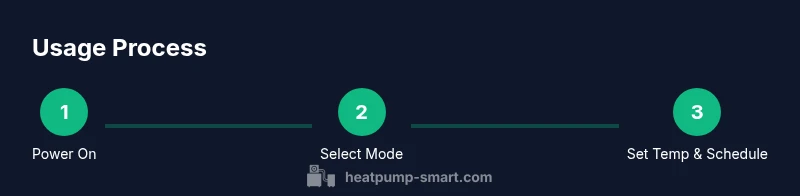
- Confirm safety and model compatibility. 2) Power on via remote or app and verify indicator lights. 3) Choose the correct mode and set a comfortable, energy-aware setpoint. 4) Enable Eco or Energy Saver features if available. 5) Schedule routine maintenance reminders and review any app notifications. This approach helps ensure dependable operation and comfort through the season.
Tools & Materials
- Daikin heat pump owner’s manual (model-specific)(Keep on-hand during operation; includes safe operating instructions)
- Remote control or Daikin app access(Ensure batteries or login credentials are ready)
- Stable Wi‑Fi connection (for smart features)(Only if your model uses the app or cloud features)
- Basic safety gear for outdoor unit inspection(Use with caution; never touch energized components)
- Notepad or device to record settings(Helpful for saving preferred temperatures and modes)
Steps
Estimated time: 45-60 minutes
- 1
Identify model, system type, and safety
Begin by locating your Daikin model and confirming the system type is suitable for operation. Read safety cautions in the manual and verify power is available. Check outdoor unit clearance and ensure panels are securely in place to avoid interference.
Tip: Note the model number for quick reference if you need support. - 2
Power on and initialize control
Use the remote or app to power on the unit. Confirm the indicator lights show readiness and the app shows a connected status. If pairing is required, follow the on-screen prompts to link your device.
Tip: If the app won’t connect, verify your phone is on the same network and retry pairing. - 3
Choose the operating mode
Select Heating, Cooling, Auto, or Fan mode based on current needs. Auto adapts to conditions to maintain comfort, while specific modes provide direct control over temperature and airflow.
Tip: Use Auto during transitional seasons to maintain steady comfort. - 4
Set target temperatures and schedule
Set a reasonable indoor temperature target. Create a simple schedule for times when the space is occupied and unoccupied. Make small adjustments to avoid large swings that waste energy.
Tip: Steady setpoints typically yield better comfort and efficiency. - 5
Enable energy-saving features
Activate Eco or Energy Saver modes if available. These reduce compressor work and optimize airflow for efficiency. Review any model-specific features in the manual.
Tip: Eco mode is most effective when the space can maintain comfort with moderate temps. - 6
Utilize smart controls and scheduling
Connect the system to the Daikin app or compatible thermostat if supported. Create routines and manage temperature adjustments remotely. Ensure firmware is up to date for best performance.
Tip: A well-timed schedule can significantly reduce runtime during peak hours. - 7
Manage humidity and ventilation
If your model offers humidity management, enable it when humidity is high or when indoor air feels muggy. Use fan or auto settings to improve air circulation and comfort.
Tip: Avoid running high-speed fans in small rooms; adjust to balance airflow. - 8
Perform routine maintenance
Inspect and clean air filters monthly; replace as needed. Clear debris from the outdoor unit and ensure the condensate drain is not blocked. Schedule professional service per manufacturer guidance.
Tip: Regular maintenance preserves efficiency and prolongs component life. - 9
Troubleshoot and know when to call a pro
If you notice reduced performance, verify power, breakers, and thermostat connectivity. Check for error codes in the app or manual and reset if advised. If issues persist, contact a trained technician.
Tip: Do not attempt refrigerant work or wiring beyond basic resets.
Your Questions Answered
How do I turn on a Daikin heat pump?
Use the remote or app to power on. Confirm indicators show readiness. If it won’t respond, check the breaker and ensure power is connected.
To turn it on, press the power button on the remote or app, and check the breaker if there’s no response.
What mode is best for energy efficiency?
Eco or Auto modes typically offer the best balance of comfort and efficiency. Auto adjusts to conditions for efficient operation.
Choose Eco or Auto mode for efficiency, and let the system adapt to conditions.
Why isn’t my system cooling or heating properly?
Check thermostat settings, air filters, outdoor unit clearance, and power supply. If issues persist, review any error codes in the manual and contact support.
First verify settings and filters, then check for obstructions or power issues before calling a tech.
Can I install a Daikin heat pump myself?
Professional installation is recommended to ensure proper wiring, refrigerant charging, and warranty compliance.
It's best to have a pro install your heat pump to ensure safety and warranty validity.
How often should I service the unit?
Follow the manufacturer’s schedule and have a professional inspection periodically. Regular checks help maintain efficiency and longevity.
Have a professional inspection as recommended by the manufacturer and keep up with routine maintenance.
What does an error code mean?
Refer to the manual for the specific code. If advised, reset per instructions and contact support if it remains.
Look up the code in the manual and follow reset steps or contact support if it persists.
Watch Video
Top Takeaways
- Read the manual and verify your model before use
- Select the correct mode for the season
- Set moderate temperatures and avoid large swings
- Enable energy-saving features where available
- Schedule regular maintenance and clean filters