Where Is Heat Pump Thermostat Located: A Step-by-Step Guide
Learn exactly where a heat pump thermostat should be located, how to verify it controls the system, and steps to test or relocate for better comfort and efficiency. Heatpump Smart provides actionable guidance for homeowners, builders, and property managers.


By the end of this guide, you’ll locate the heat pump thermostat quickly and confidently. Start by identifying your heat pump service area and the main indoor wiring panel, then check typical wall locations, avoid heat sources, and verify the thermostat actually controls the heat pump. This quick answer previews the 6-step process and essential tips Heatpump Smart recommends.
Understanding why thermostat location matters
Locating the heat pump thermostat in the right place matters for comfort, energy savings, and accurate readings. The Heatpump Smart team notes that a poorly placed thermostat can lead to longer cycle times, temperature drift, and unreliable performance, especially in homes with open floor plans or sunlit rooms. When you place the thermostat away from direct heat, drafts, or radiant sources, you get more consistent feedback and stable operation of the heat pump. Most modern homes use a single zone thermostat to control the main heat pump, but some setups have additional zone controls or separate comfort settings. The goal is to have the thermostat sample the space where occupants actually linger and where the system can respond most quickly to changes in occupancy and temperature. In addition, consider proximity to doors and windows, especially in toggling seasons where heat gains or losses fluctuate. If you have a multi-zone system, you may have a primary thermostat in a central area and secondary thermostats for other zones; in that case, identify the primary device that communicates with the outdoor unit and indoor air handler. Heatpump Smart analysis shows that aligning thermostat location with living space usage can reduce energy waste and improve comfort across the home.
Common locations by configuration
In most homes, the heat pump thermostat is installed on an interior wall in a central living area—think near the family room, living room, or open-plan kitchen. For multi-zone systems, you’ll usually find a primary thermostat in a central corridor or hallway with secondary thermostats in bedrooms or auxiliary living spaces. Geothermal installations may share the same wall position, but the thermostat may be connected to a different control panel inside the utility closet or mechanical room. If your home has an older system connected to a furnace, the thermostat may be on the wall near the furnace room, or it may be a separate control panel mounted low on a closet door. Avoid placing the thermostat in direct sunlight, above heat registers, or behind furniture that blocks airflow. A thermostat placed too close to windows or doors can read outdoor temperature changes and overreact, causing short cycling or uneven heating. Regardless of configuration, aim for a location that’s representative of the space where people spend most of their time and that’s easy to access for regular maintenance and battery changes (if using a non-powered thermostat). The Heatpump Smart team suggests choosing a spot away from drafty doorways and heavy foot traffic while remaining reachable for daily use.
How to identify the control relationship
The control relationship between the thermostat and the heat pump is what matters most for proper operation. Start by checking the system label on the outdoor unit and inside the air handler; this will show whether the thermostat directly controls the heat pump or an auxiliary heat source. If your thermostat wires show Y (compressor call), O/B (reversing valve), and AUX/E (backup heat) connections, you’re likely dealing with a heat pump setup. If you see a standard furnace control wiring instead, or if the thermostat lacks a heat pump-related terminal, you may be looking at a single-stage conventional system. For smart thermostats, the app will often identify the equipment type and display which device the thermostat is managing. If you’re unsure, trace the thermostat cable back to the air handler or outdoor unit to confirm the control path. Document the findings, including wire colors and terminal labels, so future upgrades or replacements don’t disrupt the circuit. Heatpump Smart analysis notes that misidentification can cause the thermostat to call for reheating or cooling inappropriately, reducing efficiency and comfort.
Step-by-step locating and testing
Follow these actions to locate and verify that the thermostat controls the heat pump. The steps below assume you have basic DIY safety knowledge. If at any point you feel unsure, stop and consult a professional.
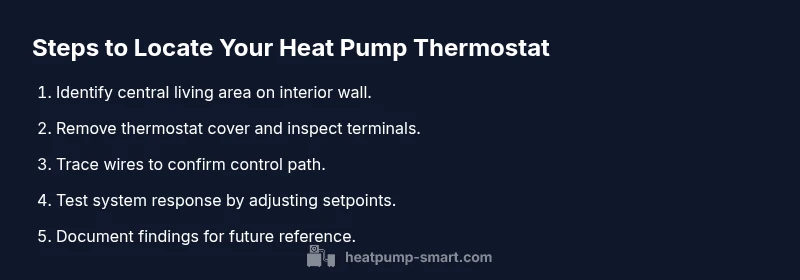
- Step 1: Locate the primary thermostat area by checking common interior walls in central living spaces. This helps ensure readings reflect the space where people spend time.
- Step 2: Remove the thermostat cover and inspect the terminals; note the labels (Y, C, G, O/B, AUX/E, etc.). This tells you whether it’s configured for a heat pump or a standard system.
- Step 3: If the wiring includes an outdoor unit connector, locate the corresponding wire to confirm the relationship with the indoor unit. This verifies the thermostat’s control path.
- Step 4: For smart thermostats, sign into the app and run a device discovery to see which equipment is managed by the thermostat. This is a quick confirmation.
- Step 5: Test the system by setting a noticeable temperature change and listening for a controlled response from the heat pump. Wait 2–5 minutes to observe the equipment’s reaction.
- Step 6: If the system doesn’t respond correctly, re-check the wiring and terminal assignments or consider relocating to a more representative space.
Tip: Keep a tiny notebook with wire colors and terminal labels for future reference.
Safety and compatibility checks
Before touching any electrical components, turn off the power to the thermostat at the circuit breaker or disconnect switch to avoid shocks or short circuits. Use a voltage tester to confirm there is no live voltage on thermostat terminals before you remove a cover. Check that the thermostat is compatible with your heat pump system, especially if you’re upgrading to a smart thermostat or adding a secondary zone. If the thermostat is battery-powered and labeled for heat pump compatibility, ensure the battery is fresh to avoid intermittent readings during testing. For wired thermostats, verify that the control wiring meets the manufacturer’s color coding and terminal standards. If you discover damaged wires, burnt terminals, or broken insulation, stop and call a licensed HVAC technician. Heatpump Smart analysis indicates that miswiring or splitting loads across circuits can lead to nuisance trips and inefficient operation over time.
Troubleshooting misplacements and smart thermostats
Smart thermostats add convenience but can complicate locating the right device. If you have multiple programmable thermostats, identify the one connected to the outdoor heat pump unit; it is usually the one that controls heating and cooling for the main zones. If your home has a heat pump with auxiliary heat, ensure the thermostat’s settings reflect emergency or auxiliary heat so you aren’t overpaying for inefficient backups. When relocating, choose a new spot that still represents the living area’s heat load. After relocation, re-run system tests to confirm proper operation in heating and cooling modes. If the system has a damp or dusty environment (basements, laundry rooms), avoid those spaces to prevent moisture-related sensor issues. Heatpump Smart analysis confirms that consistent placement reduces drift and helps the system respond predictably to changes in occupancy and weather.
When to call a professional
If you cannot locate a thermostat that clearly controls the heat pump, or if wiring assessment reveals mystery terminals, it’s prudent to contact a licensed HVAC technician. Complex multi-zone setups, geothermal loops, or dual-fuel arrangements require professional evaluation to avoid miswiring, safety hazards, or voided warranties. A pro can verify the control path, confirm thermostat compatibility, and relocate or upgrade hardware with proper labeling and documentation. Regular maintenance checks by a qualified technician help ensure the thermostat and heat pump operate efficiently year-round, delivering reliable comfort with lower energy usage.
Tools & Materials
- Screwdriver set (Phillips #2 and flathead)(For removing thermostat covers and terminal screws)
- Voltage tester / multimeter(Verify dead circuits before touching wiring)
- Notebook and pen(Record wire colors, terminal labels, and observations)
- Smartphone or camera(Take photos of wiring before disconnecting any wires)
- Ladder or step stool(Access higher wall-mounted thermostats safely)
- Owner’s manual or wiring diagram(Helpful for confirming terminal meanings)
Steps
Estimated time: 15-25 minutes
- 1
Identify primary thermostat area
Scan interior walls in central living spaces to locate the main thermostat. This ensures readings reflect typical occupancy and daily usage, which improves control accuracy.
Tip: If you use a floor plan, mark the area where most family activity occurs to guide placement. - 2
Open the thermostat cover safely
Carefully remove the front cover to access terminal labels. Note any existing labels (Y, C, G, O/B, AUX/E) and the current wiring arrangement.
Tip: Take a photo before disconnecting any wires so you can restore the setup later. - 3
Trace wiring to the control path
Follow the wires from the thermostat to the air handler or outdoor unit when possible. Confirm whether the thermostat is tied to the heat pump or a separate gas furnace backup.
Tip: Look for Y, O/B, and AUX/E terminals that indicate heat pump control. - 4
Check for multiple thermostats
If more than one thermostat exists, identify which one controls the primary heat pump and which zones are managed by separate controls.
Tip: The main thermostat is usually located in a central area; secondary thermostats manage other zones. - 5
Test system response
Temporarily adjust setpoints and observe whether the heat pump engages as expected in heating or cooling. Allow 2–5 minutes to confirm the response.
Tip: Document the observed behavior for future reference. - 6
Decide on relocation or upgrade
If readings are not representative of your living space, consider relocating to a more central area or upgrading to a compatible smart thermostat.
Tip: Relocation may require professional assistance if wiring length or system type complicates changes.
Your Questions Answered
What should I do if I can't find a thermostat for my heat pump?
Look for a thermostat in central living areas and near the mechanical room. Check for a primary control panel in the hallway or living space. If none is visible, inspect the outdoor unit wiring and consult the system manual or contact a technician.
If you can't locate a thermostat for your heat pump, start in central living areas and near the mechanical room, then check the outdoor unit wiring or consult the manual.
Can the thermostat be relocated to another room?
Yes, relocation is possible if the new spot represents typical living conditions and the wiring length allows it. Consider professional help for complex wiring or multi-zone setups.
Relocating is possible if the new spot reflects typical living conditions and wiring allows it. For complex setups, hire a pro.
How do I know which thermostat controls the heat pump?
Check the terminal labels (Y, C, G, O/B, AUX/E) and trace wires to the outdoor unit or air handler. Smart thermostats can display the connected equipment in their app.
Look for Y, C, G, O/B, and AUX/E terminals and trace the wires to the heat pump. The app on a smart thermostat will show the equipment it controls.
What if I have multiple thermostats or zones?
Identify the primary thermostat that communicates with the outdoor unit and note any secondary thermostats that manage other zones. Ensure each zone’s settings align with the overall heating strategy.
If you have multiple thermostats, find the primary one that talks to the outdoor unit and check that other zones align with your heating plan.
Are there safety concerns when opening the thermostat?
Yes. Always power off before touching wiring and avoid touching exposed terminals. If you’re unsure, stop and call a licensed HVAC technician.
Yes. Power off before touching wiring and don’t touch bare terminals. If unsure, call a licensed pro.
Is relocation of a thermostat worth it for energy efficiency?
Often yes. A thermostat placed in the right area reduces temperature errors and improves system response, leading to better comfort and potential energy savings.
Usually yes. Placing the thermostat in a representative area improves comfort and can save energy.
Watch Video
Top Takeaways
- Identify the primary thermostat location that controls the heat pump.
- Avoid direct heat sources and drafts for consistent readings.
- Verify wiring and control path before changes or relocation.
- Consider upgrading to a compatible thermostat for better efficiency.
- Document location and wiring for future maintenance.