Ecobee problem with heat pump: Troubleshooting Guide
A practical troubleshooting guide for ecobee problem with heat pump issues, with quick checks, diagnostic flow, step-by-step fixes, safety tips, and guidance on when to call a pro.


An ecobee problem with a heat pump typically stems from wiring, firmware, or sensor misreads. Start by verifying thermostat wiring at the control board, updating the ecobee firmware, and ensuring readings match the room temperature. If the issue persists, reset the thermostat and review any error codes in the ecobee app. If needed, consult a pro.
Why ecobee integration with heat pump matters
According to Heatpump Smart, seamless integration between the ecobee thermostat and your heat pump determines comfort, energy savings, and system longevity. When signals drift or sensors misread, you can end up with short cycling, inefficient heating or cooling, or unexplained defrost cycles. This section explains how the thermostat communicates with the outdoor unit, what data points matter, and why a precise setup matters for performance and safety. We’ll cover common misconfigurations, how to verify wiring, and the role of the C-wire in sustaining power to ecobee during heat pump operation. Homeowners and property managers should treat the ecobee as a control hub: correct wiring, updated firmware, and calibrated readings are the foundation of reliable climate control and continuous energy savings.
Common issues when ecobee reports heat pump problems
Most ecobee-related heat pump issues fall into a few repeat categories: sensors reading mismatches, improper power or C-wire connections, firmware syncing problems, and outdoor-unit signals that don’t align with indoor setpoints. Defrost cycle failures, iced coils, or odd compressor cycling can also trigger alerts in the ecobee app. The key is to differentiate thermostat-side problems from actual HVAC faults. If the thermostat shows error codes like E1, P1, or sensors readings that don’t match room temperature, follow the diagnostic flow. Remember that you’re troubleshooting a system that relies on both a smart controller and a mechanical outdoor unit, so both sides deserve checks.
Quick checks you can do safely
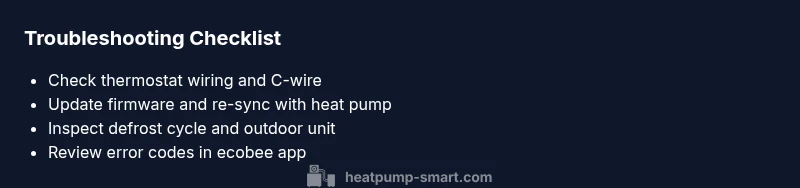
- Verify all thermostat wires are firmly connected at the ecobee base and the furnace/air handler terminal block.
- Ensure the common (C) wire is present and delivering power; replace batteries only if you’re sure the power comes from the C wire, not a power stealing path.
- Update ecobee firmware and re-sync with the heat pump in the app.
- Check indoor and outdoor temperature readings to confirm they align within a few degrees.
- Inspect outdoor unit for ice buildup or debris that could hamper defrost or airflow.
Understanding ecobee error codes and status indicators
ecobee uses codes and status icons to indicate issues. Common signals include incorrect readings, communication failures with the air handler, or defrost-related warnings. Learn how to interpret the app’s status icons and any fault codes. Keep a log of codes and times they appeared. This data helps you or a technician identify whether the problem is transient (e.g., momentary communication glitch) or persistent (e.g., faulty sensor or control board).
Diagnosing refrigerant and defrost issues with ecobee
If the heat pump runs but doesn’t heat adequately, or if you notice ice on the outdoor coil, defrost logic may be involved. Ecobee can reflect those symptoms through longer run cycles or frequent cycling between heat and aux heat. A professional should assess refrigerant charge, refrigerant leaks, and outdoor unit sensors. In the meantime, avoid manually topping up refrigerant and never bypass safety controls. Proper defrost cycles depend on ambient temperature, outdoor fan operation, and accurate sensor data.
Electrical and wiring considerations for ecobee and heat pump
Electrical problems are a frequent cause of ecobee misbehavior. Inspect the furnace/air handler power, the 24V control circuit, and the wiring from the thermostat to the air handler. Loose connections, damaged insulation, or mismatched wire gauges can cause intermittent readings. If you notice a blinking thermostat display, unusual power draw, or a thermostat that won’t stay online, pause and re-check power and wiring before contacting a pro. A licensed electrician or HVAC technician should handle high-voltage work and refrigerant-related tasks.
System-wide settings and efficiency improvements
- Confirm that your climate control settings match your home’s insulation and occupancy patterns.
- Enable energy-saving features like adaptive backlight (if available) and demand-response options if your system supports them.
- Review auxiliary heat usage to prevent excessive energy use when outdoor temps drop.
- Regularly replace air filters and ensure ductwork is sealed; a leaky system can masquerade as thermostat error.
When to call a professional and what to expect
If simple checks don’t resolve the issue, it’s time to involve a professional. A technician will verify wiring, sensors, refrigerant charge, defrost controls, and outdoor-unit signals, then clean and recalibrate as needed. Provide the ecobee error codes, recent firmware version, and a brief description of the symptoms. Expect a diagnostic visit that includes testing under both heating and cooling modes, and a plan for any recommended repairs or part replacements.
Steps
Estimated time: 45-75 minutes
- 1
Power and wiring sanity check
Begin by powering down the system safely and inspecting all thermostat wires at both ends. Look for loose terminals, damaged insulation, or mismatched wire gauges. Re-seat and secure connections firmly before restoring power.
Tip: If a wire is damaged, replace it rather than attempting a quick repair. - 2
Firmware update and re-sync
Update the ecobee firmware to the latest version and re-sync the thermostat with the heat pump in the app. This can clear communication glitches and align sensor data.
Tip: After updating, run a test cycle to verify proper communication. - 3
Check C-wire and power supply
Confirm a healthy C-wire connection and stable 24V power. If your ecobee is powered by a battery or power stealing, correct that setup or switch to a proper C-wire configuration.
Tip: Use a multimeter to verify voltage on the C-terminal during operation. - 4
Assess outdoor unit signals
Inspect the outdoor unit for ice, debris, or blown fuses affecting sensors and defrost signals. Make sure the fan and coils are clear and the defrost timer operates normally.
Tip: Never force defrost manually without knowing the cause. - 5
Review thermostat settings for heat pump
Ensure the ecobee is configured for heat pump operation with correct O/B reversing valve settings and appropriate emergency heat usage. Misconfigured modes can cause faulty cycling.
Tip: Double-check climate and occupancy schedules that might override desired temps. - 6
Test heating and cooling cycles
Run a full heating cycle, then a cooling cycle while monitoring ecobee readings and outdoor unit signals. Note any abnormal delays, short cycling, or discrepancies between indoor temp and setpoint.
Tip: Document cycle times and codes to share with a technician.
Diagnosis: Ecobee reports heat pump problem or inconsistent readings
Possible Causes
- highImproper thermostat wiring or loose connections
- highOutdated ecobee firmware or mis-synced app
- mediumIncorrect C-wire wiring or power issues
- mediumDefrost cycle issues or outdoor unit sensor failures
- lowRefrigerant leak or compressor fault
Fixes
- easyCheck thermostat wiring at the control board and reseat all cables; ensure no loose strands.
- easyUpdate ecobee firmware and re-sync with the heat pump in the app.
- mediumVerify C-wire is properly connected and power is being supplied; test with a multimeter if needed.
- mediumInspect defrost controls and outdoor unit sensors for ice buildup or errors; clear debris and test signals.
- hardIf refrigerant issues or compressor faults are suspected, contact a licensed technician for a refrigerant charge check or component replacement.
Your Questions Answered
What does ecobee error code mean for heat pump?
ecobee error codes indicate specific faults such as sensor, communication, or defrost issues. Check the app for the exact code and refer to the ecobee manual or Heatpump Smart guidance for interpretation and next steps.
ecobee error codes point to sensor or communication problems; check the app for the exact code and follow the recommended steps.
Can ecobee cause a heat pump to run inefficiently?
Yes. Misreads, improper settings, or excessive use of auxiliary heat can reduce efficiency. Ensure accurate readings, update firmware, and configure proper heat pump operation with correct O/B settings.
If readings are off or auxiliary heat is used too much, efficiency drops; fix readings and settings.
Should I reset the ecobee thermostat?
A soft reset clears glitches without altering schedules; a factory reset erases data and should be a last resort. Try soft reset first and re-sync afterward.
Try a soft reset first; a factory reset is for deeper problems.
When is it necessary to call a pro?
If you suspect refrigerant issues, compressor faults, persistent sensor failures, or electrical problems, a licensed HVAC tech should diagnose and repair safely.
Call a pro if you suspect refrigerant, compressor, or electrical issues.
How can I improve efficiency when ecobee and heat pump are acting up?
Optimize thermostat settings, check insulation, replace air filters, seal ducts, and ensure firmware is current. These steps can reduce energy waste even during troubleshooting.
Keep filters clean, seal ducts, and keep firmware updated to maintain efficiency.
What safety precautions should I take?
Power down before handling wiring or panels. Do not attempt high-voltage work yourself; use a licensed professional for electrical or refrigerant tasks.
Always switch off power and call a pro for dangerous work.
Watch Video
Top Takeaways
- Verify power and wiring before firmware updates
- Update firmware and re-sync to fix communication glitches
- Check C-wire and proper power supply
- Follow a step-by-step diagnostic flow before calling a pro