How to Put Heat Pump on Hot: A Practical Guide for Home Heating
Learn how to put your heat pump on hot mode safely and efficiently with our expert, step-by-step guide. Includes safety tips, troubleshooting, and energy-saving strategies.


To put a heat pump on hot mode, set the thermostat to heating, choose the desired indoor temperature, and confirm the outdoor unit operates normally. If your system has a dedicated 'hot' or boost option, enable it for faster warming. Heatpump Smart guidance emphasizes checking defrost cycles and ensuring auxiliary heat isn’t running unnecessarily.
What Does 'Hot' Mean for Heat Pumps?
In heating mode, heat pumps extract heat from outdoor air and deliver it indoors. The term 'hot' can refer to maintaining indoor comfort on cooler days or maximizing output during cold snaps. Modern heat pumps operate with a coefficient of performance (COP) that varies with outdoor temperature. According to Heatpump Smart, selecting the right heating mode, understanding defrost cycles, and using auxiliary heat judiciously are essential for comfort and efficiency. The heating cycle moves heat rather than generating it like a furnace, which means the thermostat setpoint and system performance determine warmth. Some models offer a dedicated 'hot' or boost option to ramp up indoor temperature quickly. Use it sparingly to prevent short cycling and energy waste. If a system struggles to reach the setpoint, check that the outdoor unit is clear of snow, airflow is unobstructed, and the indoor thermostat isn't set unrealistically high for extended periods. Regular maintenance helps sustain performance across seasons.
Safety First: Before You Switch to Heating
Safety comes first whenever you interact with an HVAC system. Before touching any wiring or panels, shut off power at the thermostat and the outdoor unit circuit breaker. Use a non-contact voltage tester to confirm there is no live current in exposed wires. Wear insulated gloves when handling components near the electrical panel. Keep children and pets away while you inspect. If ice forms on the outdoor coil, allow the unit to defrost automatically; avoid forcing warm air from the indoor unit to melt ice, which can harm the compressor. Finally, consult the manual for your model's limits and temperatures; not all heat pumps are designed to operate in extreme cold or extremely hot conditions.
Check Your Equipment and Settings
Verify that the thermostat supports heating mode, and check the system’s configuration in the UI or app. Ensure the fan setting is appropriate (auto vs. on) and that auxiliary heat is not engaged unnecessarily. Confirm the outdoor unit is free of debris, snow, or ice, and that the refrigerant lines are insulated where required. If your unit uses a variable-speed compressor, ensure the control board is communicating correctly with the thermostat. Look for any error codes on the indoor display and note them for troubleshooting. If a heat pump has multiple stages, start with the primary stage and only add auxiliary heat if the indoor temperature fails to reach the target within a reasonable time.
Step-by-Step Overview (High-Level)
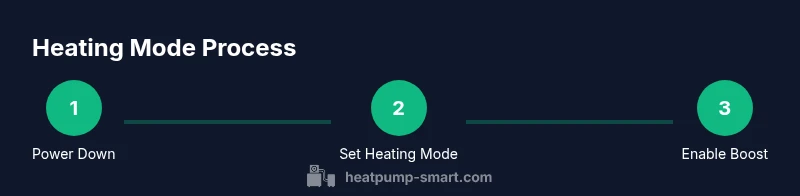
Here’s a quick map of the actions involved in putting a heat pump on hot mode (for reference before you dive into the detailed steps): 1) Power down and prep safely. 2) Verify thermostat is in heating mode and set the target temperature. 3) Enable any available 'hot' boost or auxiliary heat. 4) Check the outdoor unit for clear airflow and no ice. 5) Run a short test cycle to confirm warm air delivery. 6) Return to normal auto operation and monitor performance.
Energy Efficiency Tips When Heating with a Heat Pump
Energy efficiency hinges on maintaining a steady indoor temperature and minimizing heat loss. Use a programmable thermostat to avoid large temperature swings, and set back the temperature at night by 2–3 degrees to save energy without sacrificing comfort. Keep the home well-insulated, seal gaps around doors and windows, and ensure ductwork is sealed to prevent leaks. In cold climates, a heat pump with a supplemental heat source can be more efficient than a fossil-fuel furnace if used appropriately—avoid leaving auxiliary heat on for long durations. Regularly clean or replace air filters to maintain airflow and system efficiency. Schedule seasonal maintenance to catch refrigerant leaks or sensor misreads before they affect performance.
Troubleshooting Common Heating Issues
If you turn on heating and get little or no warm air, start with the basics: confirm power is on, the thermostat is correctly wired, and the outdoor unit is not blocked. Check for frost or ice on the outdoor coil, which indicates defrost cycles are active or an issue with thermostat control. Listen for unusual noises that may signal a malfunctioning fan or compressor. Review error codes in the indoor controller and consult the manual to interpret them. If the system runs but never reaches the setpoint, it may be undersized for the space or experiencing refrigerant or airflow problems. When in doubt, contact a qualified technician for a definitive diagnosis.
Tools & Materials
- Smart thermostat with heating mode(Ensure it supports heating and can be controlled by app)
- Outdoor unit access and electrical panel(Clear area around outdoor unit; shut off power before service if required)
- Voltage tester or multimeter(Check wiring if you suspect electrical fault)
- Safety gloves(Protect hands when handling panels or wiring)
- Owner's manual or model-specific guide(Confirm heating settings and functions for your unit)
- Smartphone or tablet for app control(Convenience to monitor status)
Steps
Estimated time: 15-25 minutes
- 1
Power down the system
Turn off the heat pump at the thermostat and switch off the outdoor unit's circuit breaker. This prevents shocks while you inspect and reseat any accessible components. Double-check there is no residual voltage before touching anything.
Tip: Use a lockout tagout procedure if available to prevent accidental re-energizing. - 2
Set thermostat to heating mode
Switch the thermostat to heating and set the desired indoor temperature. If your system has multiple stages, start with the primary stage and wait a few minutes to assess response before enabling auxiliary heat.
Tip: Avoid large, rapid temperature changes that can cause short cycling and reduce efficiency. - 3
Enable hot/boost setting if available
If your model includes a dedicated hot setting or boost option, enable it briefly to ramp up warmth. Monitor for rapid cycling and revert to auto after reaching comfort. Do not rely on boost for extended periods.
Tip: Only use boost for short durations to prevent unnecessary energy waste. - 4
Check outdoor unit and airflow
Inspect the outdoor unit to ensure it’s clear of snow, debris, and ice. Verify that the fan can spin freely and that refrigerant lines are insulated. Look for any visible damage or loose wiring between components.
Tip: Maintain a 2-foot clearance around the unit for optimal airflow. - 5
Run a short test cycle
Allow the system to run for 5–10 minutes in heating mode. Listen for a steady compressor hum and feel warm air from the ducts. Check that indoor and outdoor temperatures align with the setpoint.
Tip: If you hear grinding or banging, switch off and consult a technician. - 6
Return to normal operation and monitor
Switch back to automatic heat mode if you used boost, and observe comfort for the next 24 hours. Record energy use and any cold spots to guide future adjustments and scheduling.
Tip: Keep a simple log for seasonal performance tracking.
Your Questions Answered
What does 'hot mode' mean for a heat pump?
Hot mode refers to the heating operation where heat is moved indoors from the outdoor air. Some models offer a dedicated 'hot' or boost option to reach comfort faster. This mode is most effective when temperatures aren’t extreme and the system is properly sized and maintained.
Hot mode means the heat pump is actively heating by moving warmth from outside to inside. Use the boost option sparingly and ensure the system is well maintained.
Is it safe to run a heat pump in freezing temperatures?
Yes, many heat pumps are designed to operate in winter conditions, but performance depends on model ratings and proper installation. In very cold climates, auxiliary heat may be engaged more often, which can increase energy use.
Heat pumps can run in cold weather, but extreme cold may trigger auxiliary heat more often.
Do I need auxiliary heat when heating with a heat pump?
Auxiliary or emergency heat is used when outdoor conditions reduce the heat pump’s efficiency. In milder cold, the heat pump may suffice, but in deeper cold the auxiliary heat helps maintain comfort at the cost of higher energy use.
Auxiliary heat helps in very cold weather but uses more energy, so use it only when necessary.
Why isn’t my heat pump reaching the set temperature?
Common causes include insufficient insulation, air leakage, blocked outdoor unit, wrong thermostat settings, or an undersized system. Check airflow, seal leaks, verify settings, and review any error codes before calling a pro.
If it won’t reach the set temperature, check insulation, airflow, and thermostat settings. Look for error codes.
How long does it take to heat a room with a heat pump?
Time depends on outdoor temperature, home insulation, and system size. In typical conditions, you may feel warmer air within 15–60 minutes after turning heating on, with larger homes taking longer.
Heating time varies, but you’ll often notice warmth within 15 to 60 minutes depending on conditions.
What should I do if the outdoor unit is iced?
Icing is normal during defrost cycles, but persistent icing may indicate a control issue or low refrigerant. Do not chip ice aggressively; allow defrost to complete and call a technician if it keeps recurring.
If the outdoor unit stays iced, wait for defrost and contact a pro if it repeats.
Watch Video
Top Takeaways
- Know what heating mode means for your system.
- Always cut power before inspection.
- Use heated boost sparingly to save energy.
- Keep outdoor unit clear for proper heat transfer.
- Monitor performance and adjust settings for comfort and efficiency.