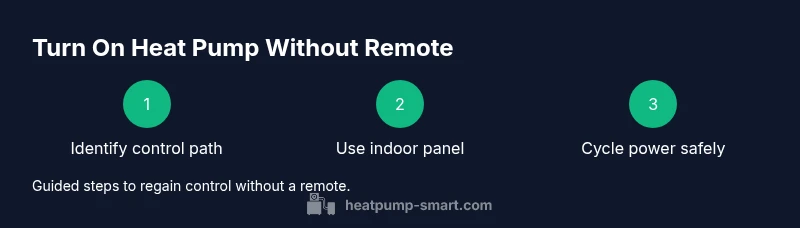
How to Turn On a Heat Pump Without a Remote
Learn safe, step-by-step methods to power on your heat pump without the remote using the indoor panel, thermostat, or app. Includes safety tips, when to reset, and when to call a pro. 2026 Heatpump Smart guide.


You can power a heat pump without its remote by using the indoor control panel, a compatible wall thermostat, or the HVAC app if your system is connected. If those options fail, power cycle the unit at the breaker and consult the manual for a safety reset. This guide shows safe, step-by-step ways to regain operation.
Understanding the Challenge: What Turn On Without Remote Really Means
Losing or misplacing the heat pump remote can leave you stuck in a mode you didn’t choose. However, most modern heat pumps provide alternative control paths, such as the indoor unit’s front panel, a wall thermostat, or a connected app. According to Heatpump Smart, these pathways are designed for reliability and serviceability, so you can re-establish comfort even if the remote is lost. This section explains common control architectures, what you’ll typically find on your model, and how to approach a safe, practical solution without calling a technician for every small adjustment.
Safety First: Prerequisites and Hazards to Mind
Before you touch any electrical component, power down the relevant circuit or main disconnect following the manual’s instructions. Do not bypass safety interlocks or probes, and avoid modifying refrigerant lines or wiring. Use a non-contact voltage tester to confirm power is off at any panel you open, and wear insulated gloves if you must touch exposed conductors. Heat pumps are complex systems; a cautious, methodical approach protects you and the equipment. Heatpump Smart recommends keeping the manual on hand and working with basic tools only when power is confirmed off and the area is dry.
Identify Your Control Path: Indoor Panel, Thermostat, or App
Not all heat pumps use the same controls, so start by identifying how you can interact with your unit. If you have an indoor air handler with a front panel, it may let you switch modes and set temperatures. If you have a wired or wireless wall thermostat, it might control the system directly or relay commands to a receiver. Some systems connect to a mobile app for remote operation; in that case, you may regain control via the app after signing in. Determine which option is wired to your unit so you can proceed with the appropriate steps rather than guessing and risking incorrect settings.
Using the Indoor Control Panel: What to Look For
The indoor panel (often on the air handler) typically includes a power button, mode selector (Heat, Cool, Auto), fan speed, and temperature adjustment. If the remote is missing, this panel may be the primary control path. Start by turning the device on, then set the mode to Heat or Auto, and adjust the temperature to a comfortable level. Some models require you to hold a button for a moment to wake the panel from sleep mode. If you don’t hear or feel the system respond within a few minutes, proceed to check the outdoor unit or the thermostat linkage as applicable.
Wall Thermostat as a Fallback Control
A wall thermostat can serve as a direct controller if it’s wired to the heat pump. Ensure batteries are fresh if it’s a battery-powered unit, and confirm the thermostat is set to the appropriate mode and heat setpoint. If your thermostat is smart and linked to an app, you may be able to re-sync or re-pair it so that the thermostat communicates with the outdoor unit. If pairing is required, follow the manufacturer’s instructions in the manual to re-establish a stable connection. Heatpump Smart notes that many family systems rely on this fallback, so trying it first can save time.
Power Cycling and Safe Resets: When and How
If the unit remains silent after using the indoor panel and thermostat, a controlled power cycle can clear transient faults. Turn off the main breaker that feeds the heat pump, wait 60 seconds, then restore power. Do not flip breakers wildly or repeatedly; this is a deliberate reset. After power returns, wait a few minutes and re-check the display, fan, and airflow. If you observe any abnormal noises, ice on the outdoor unit, or an error code, stop and consult the manual before proceeding. Heatpump Smart emphasizes cautious, methodical steps to avoid damage.
When to Call a Pro: Knowing Your Limits
If you’ve exhausted the primary control paths and the heat pump still won’t respond, it’s time to contact a licensed HVAC technician. Document any error codes, unusual sounds, or indicators you noticed during your attempts; this helps the technician diagnose the issue faster. Emergency heat functions, refrigerant concerns, and electrical faults require professional attention. The Heatpump Smart team recommends a professional assessment when safety, refrigerant integrity, or compressor health may be at risk.
noteKeptInMindListOkForSEOOnly
Tools & Materials
- Owner’s manual(Keep for model-specific control instructions and safety warnings.)
- Non-contact voltage tester(Verify power is off before opening panels.)
- Screwdriver set (Phillips #2)(For panel screws only if needed.)
- Gloves and safety glasses(Basic PPE for electrical work.)
- Flashlight(Illuminates dark panels or outdoor units.)
- Smartphone with charger(If you plan to use an app or re-pair a thermostat.)
Steps
Estimated time: 20-40 minutes
- 1
Power off safely
Switch off the heat pump at the main disconnect or dedicated breaker as specified in the manual. Confirm no live voltage with the tester before touching any components.
Tip: Always confirm power is off at the device you’ll be interacting with. - 2
Open the indoor panel
Remove the panel cover carefully to access the control board and panel switches. Do not pry or force connectors.
Tip: Take a photo of wiring before you touch anything. - 3
Set the panel to heating mode
Use the panel to select Heat or Auto and set a comfortable setpoint. Allow a few minutes for the system to respond.
Tip: If the panel requires a wake-up sequence, press and hold the Mode button for 2–3 seconds. - 4
Check outdoor unit status
Observe the outdoor unit if accessible: the fan should run and the compressor may start after the indoor side powers up.
Tip: Listen for unusual noises or grinding—these indicate faults. - 5
Test the wall thermostat
If you have a wired thermostat, confirm it’s set to the correct mode and that power is supplied to the thermostat.
Tip: Replace batteries if it’s a battery-powered unit and re-pair if required. - 6
Power cycle the system
Turn off the main breaker, wait 60 seconds, then restore power. This can clear minor faults.
Tip: Avoid repeated cycles in quick succession; give devices time to reset. - 7
Observe system response
After power is restored, watch for the indicator lights, airflow, and temperature changes.
Tip: If there’s no response after a couple minutes, proceed to step 8. - 8
Seek professional help
If the heat pump still won’t turn on, document any codes or symptoms and contact a licensed HVAC tech.
Tip: Provide model and symptoms to speed up diagnosis.
Your Questions Answered
Can I turn on a heat pump without a remote?
Yes. Use the indoor control panel, a compatible wall thermostat, or the connected app if available. If these do not work, perform a safe power cycle and consult the manual for safety resets.
Yes. Use the indoor panel, thermostat, or app if you have one. If none work, power cycle safely and refer to the manual.
Why won’t the indoor panel respond to my input?
The panel may be in sleep mode, or there may be a tripped breaker or blown fuse. Check the main power, panels, and any safety interlocks before retrying.
If the panel isn’t responding, check power at the breakers and safety interlocks, then retry.
Is it safe to power cycle the unit myself?
Power cycling is generally safe when done correctly and with the main power accessible. Wait the specified interval (about 60 seconds) and avoid frequent cycles.
Power cycling is usually safe if you do it properly and wait between cycles.
What if the thermostat won’t pair with the system?
Ensure batteries are fresh, verify network or wired connections, and follow the manufacturer’s pairing steps. If using a smart thermostat, confirm it’s compatible with your heat pump model.
Make sure batteries are fresh and the thermostat is compatible, then re-pair per the manual.
The outdoor unit makes unusual noises. What should I do?
Shut down power if you suspect a mechanical fault and contact a pro. Noise can indicate a failing compressor or stuck fan.
If you hear odd noises from the outdoor unit, stop and call a technician.
When is it necessary to call a professional?
If there is no response after trying the basic controls, if you notice leaks, refrigerant signs, or electrical hazards, a licensed HVAC technician should diagnose.
Call a professional if it won’t turn on after these steps or if you see leaks or signs of electrical trouble.
Watch Video
Top Takeaways
- Power off safely before any panel work.
- Use the indoor panel or thermostat as primary controls.
- A safe power cycle can clear minor faults.
- Call a pro if the unit remains unresponsive.