What to Do If the Heating Pump Is On
A practical guide to diagnosing why a heat pump stays on, with safe steps, common causes, preventive tips, and when to call a professional for energy savings and equipment longevity.


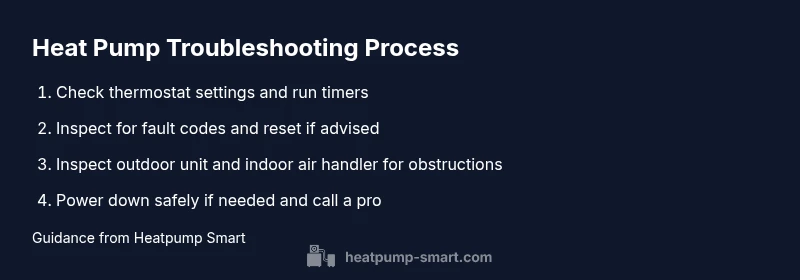
If your heating pump is unexpectedly running, first confirm there’s no thermostat setting or schedule keeping it on. Then check for fault codes, reset if advised, and inspect the outdoor unit for debris. If it continues, turn off power at the breaker and contact a qualified technician. Heatpump Smart recommends prompt action to avoid wasted energy and damage.
What counts as an unexpected heat pump run and why it matters
A heat pump that runs when it hasn’t been commanded to can waste energy, shorten component life, and create uncomfortable indoor conditions. In many homes, continuous operation is traced back to thermostat signals, control wiring, or maintenance gaps rather than a single catastrophic failure. Understanding the difference between a legitimate defrost cycle, normal night-time operation, and a fault condition helps you respond calmly and effectively. The goal is to restore comfort while protecting energy efficiency and equipment longevity. Heatpump Smart emphasizes that understanding the root cause is key to preventing repeat events and costly repairs.
First steps to diagnose
Before you panic, start with the simplest explanations. A heat pump can seem to run continuously if the thermostat is set to a prolonged heat cycle or if an automated schedule is active. Check the thermostat itself and any connected app for current mode, setpoints, and run timers. If you share the space with zone controls, verify none of them are forcing the system to stay on. Note the time of day and whether outdoor temperatures could plausibly justify extended operation. By documenting these signals, you’ll distinguish user settings from mechanical faults and can decide whether you need to troubleshoot, reset, or call a technician.
Safety considerations and power control
If the pump seems to run at odd hours or without a call for heat, safety first. Do not poke at electrical connections or refrigerant lines. Take a moment to turn off the system from the thermostat, if safe, or switch off the circuit breaker that powers the outdoor unit. This reduces energy waste and protects components while you diagnose. After turning off power, wait a few minutes before restoring to observe if the unit restarts on its own. If it does, record the exact conditions and proceed with further checks or contact a professional.
Common causes and how to verify
Common culprits include thermostat misconfiguration or a stuck button, a faulty relay or control board, a lingering defrost cycle, or a sensor fault in the air handler or outdoor unit. Inspect thermostat wiring and confirm the display shows the correct mode. Read any fault codes on the indoor panel, and respect any safety advisories in the manual. If you notice unusual noises, hissing, or ice buildup, treat it as a signal to pause and reassess rather than forcing a reset. Most issues fall into a few repeatable patterns that you can verify with the manual and a proactive maintenance mindset.
Preventive maintenance to avoid future runs
To reduce the likelihood of unexpected operation, schedule seasonal maintenance, clean or replace filters, and ensure outdoor and indoor coils are free of debris. Keep the thermostat firmware up to date and consider a backup manual for critical controls. Create a simple run-log to track when the heat pump cycles on and off, which helps spot anomalies early. If you use smart controls, set up automatic alerts for unusual run times and defrost events. Regular attention to these details saves energy and extends equipment life.
When to call a professional
If the heat pump continues to run unexpectedly after basic checks, or you notice refrigerant signs, unusual odors, or temperature swings that you cannot explain, contact a licensed HVAC technician promptly. Provide your run-log, any fault codes, and a description of the steps you’ve already taken. A pro can diagnose control faults, refrigerant issues, or sensor problems that aren’t safe to repair yourself and can help prevent recurring problems.
Tools & Materials
- Owner's manual for your heat pump(Have the exact model number handy for reference to safety and diagnostic steps)
- Digital thermostat or control panel(Check current mode, setpoints, and run timers from the device itself)
- Screwdriver set (Phillips/flathead)(For accessing panels if needed (do not touch live terminals))
- Multimeter (optional for electrical checks)(Only if you’re comfortable and familiar with electrical work)
- Flashlight(Inspect outdoor unit and indoor cabinet areas)
- Notebook and pen(Log fault codes, times, and actions taken)
- Safety gloves(Use when handling panels; avoid touching refrigerant lines)
Steps
Estimated time: 30-60 minutes
- 1
Check thermostat settings and schedules
Review the thermostat display and any linked apps to confirm the system isn’t set to stay on for a long heat cycle or due to an active schedule. Look for a hold, eco, or vacation mode that could cause extended operation. If you find a setting, adjust it and monitor for a change.
Tip: Use the manual to locate 'hold' or 'eco' modes and disable them temporarily. - 2
Look for fault codes and run a sensor test
Read any fault codes on the indoor control panel or condenser unit display. If a fault code appears, consult the manual to interpret it and take recommended action. If there’s a sensor fault, note which room or zone shows abnormal readings.
Tip: Take a photo of fault codes for reference when you call a tech. - 3
Inspect outdoor unit and indoor air handler for debris
Clear leaves, dirt, and obstructions from the outdoor unit and check the indoor air handler access area for dust buildup. Debris can cause sensors to misread or fans to run continuously. Do this only after turning off power to avoid shock.
Tip: Never touch moving parts; use a brush or compressed air from a safe distance. - 4
Reset controls or thermostat if advised by manufacturer
If the manual prescribes a reset procedure, perform it exactly as described and observe whether the unit returns to normal operation. Do not perform resets repeatedly without understanding the cause, as this can mask unsafe conditions.
Tip: Document the reset steps and any immediate changes in behavior. - 5
Safely cut power if the unit won’t stop running
If the unit continues to run after checks, switch off power at the thermostat or the main breaker. Wait 1–2 minutes, then restore power and monitor. If it restarts on its own, it indicates an underlying control or relay fault that needs professional attention.
Tip: Never unplug a live unit; use the breaker for a safe shutdown. - 6
Schedule a professional service if the issue persists
If the problem remains after completing these steps, contact a licensed HVAC technician. Provide run times, any fault codes, and the actions you took. A pro can diagnose control faults, refrigerant issues, or sensor problems safely and effectively.
Tip: Share a detailed log and photos of any error codes to speed up diagnosis.
Your Questions Answered
Why is my heat pump running when no heat is called?
Most often it’s due to thermostat settings, stuck controls, or a control fault. Check modes, schedules, and any linked apps. If unresolved, consult the manual or a professional.
Most of the time, it’s thermostat or control issues. Check modes and schedules, and if it persists, contact a professional.
Can a dirty filter cause continuous operation?
A clogged filter can cause HVAC components to struggle and run longer to reach the setpoint. Replace or clean filters and recheck performance.
A dirty filter can make the system work harder and run longer. Replace the filter and test again.
Is it safe to reset the system myself?
Resetting per manufacturer instructions is generally safe, but avoid repeated resets without understanding the fault. Resets can clear codes but won’t fix underlying issues.
Resetting can be safe if you follow the manual, but don’t reset repeatedly without knowing why.
What should I do if I smell burning wires?
Turn off power immediately and call a licensed technician. A burning smell indicates an electrical fault that requires professional inspection.
If you smell burning, switch off power and contact a pro right away.
When should I call a professional about a heat pump that won’t stop running?
If basic checks don’t resolve the issue, or you notice signs of refrigerant problems, it’s time for a professional diagnosis and repair.
Call a professional if simple checks don’t fix it or if you suspect refrigerant or control faults.
Watch Video
Top Takeaways
- Identify thermostat issues first
- Check fault codes and sensor status
- Power down safely if needed, then call a pro if unresolved
- Maintain regular upkeep to prevent recurrence
- Document observations to speed diagnosis