Heat Pump Fan Not Working? Troubleshooting Guide (2026)
Learn how to diagnose and fix a heat pump fan not working with a practical, step-by-step guide from Heatpump Smart—safety, common causes, and clear fixes.


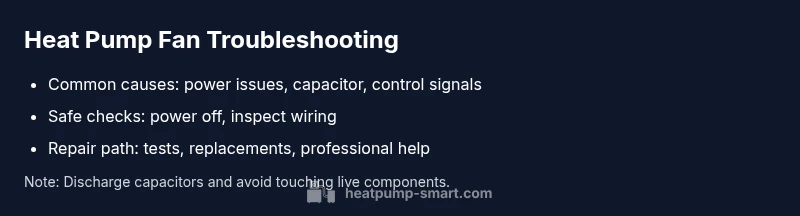
Most heat pump fan failures are caused by a stuck or damaged fan motor, a bad capacitor, or an electrical control signal problem. Start with safety: switch off power at the disconnect, check the breaker, and inspect the air handler wiring for loose contacts. If power, wiring, and limit switches check out, move to step-by-step diagnostics.
Introduction to the Heat Pump Fan Not Working Issue
When a heat pump fan stops spinning or runs intermittently, your home loses an important source of warm or cool air. This guide from Heatpump Smart focuses on practical, safe steps you can take to diagnose the problem and restore comfort quickly. We’ll walk through common causes, safe power-down procedures, and how to test components like the capacitor, wiring, and control signals. The goal is to help homeowners, builders, and property managers understand when a fix is simple and when professional help is needed. If you notice unusual smells, buzzing, or hot components, shut off power immediately and seek professional service. The Heatpump Smart team emphasizes safety and a clear diagnostic flow to avoid unnecessary repairs.
Safety first: power, disconnects, and electrical checks
Safety is non-negotiable when a heat pump fan isn’t working. Begin by turning off the system at the main electrical disconnect and at the home’s breaker panel to prevent shock or injury. Use a non-contact tester to confirm there is no voltage in accessible wires before touching any terminals. Inspect the disconnect switch for signs of corrosion or loose screws, and verify that the outdoor unit’s wiring connections are tight. If breakers have tripped or fuses look blown, reset or replace them only after you’ve confirmed there is no short. Keep a flashlight handy and wear insulated gloves when probing inside the air handler. If you’re unsure about electrical work, contact Heatpump Smart or a licensed electrician—safety comes first.
Visual inspection of the air handler and fan assembly
Remove the access panel to view the blower, blades, and motor housing. Look for loose or disconnected wires, burnt insulation, corrosion, or moisture intrusion. Check that the blower wheel can spin freely by hand with the power off; note any rubbing against housing or debris that could impede rotation. Inspect the fan blades for chips, cracks, or imbalance. A bent or damaged blade can stall the fan and cause noise or vibration. Tighten loose mounting screws and reseat connections carefully. Document any obvious damage or misalignment so you can decide whether you can safely fix it or should call a pro. Heatpump Smart notes that many fan issues are resolved with straightforward, non-destructive checks.
Electrical components: capacitor, relay, and wiring tests
Capacitors provide the surge current needed to start the fan motor. A failed capacitor is a common cause of a fan that won’t start or starts and stops. Locate the start/run capacitor near the motor and inspect for bulges, leaks, or discharge marks. If you have a multimeter and know how to read capacitance, test against the rated value on the component. If the capacitor is weak or shows any failure signs, replace it with an exact spec part. Inspect relays and contact points in the control box for pitting or corrosion, and tighten any loose screws. Trace wires from the fan to the control board for fraying or heat damage. Any burnt insulation or melted plastic indicates replacement is needed. When in doubt, a professional should handle capacitors and high-voltage components.
Thermostat and control board signals: how the system communicates
A fan problem may be caused by incorrect signals from the thermostat or a failing control board. Check that the thermostat is set to the correct mode (heat or cool) and that the fan is set to ON or AUTO as appropriate. Listen for relays clicking when the system cycles; a missing click can indicate an electrical or control issue. Inspect the low-voltage wiring for loose connections at both ends and verify that wire colors match the board’s schematic. If signals stop at the control board, testing with specialized equipment or replacement may be necessary. Heatpump Smart emphasizes that incorrect control signals are a frequent culprit and often the simplest fix when wiring is sound.
Diagnostic flow in practice: a practical approach you can follow
Flowing through symptoms helps you narrow down causes quickly. If the fan won’t start, confirm power and safety, then test for loose connections and bad capacitors. If the power is fine but the fan still won’t spin, inspect the blade for obstruction and verify thermostat signals. When a wiring fault is found, reseat or replace the connector; if nothing appears damaged, perform a controlled power cycle and re-test. If the unit starts but runs weakly or intermittently, the capacitor or motor windings are likely suspect. Always move to professional service if you encounter high voltage, refrigerant lines, or suspected motor damage. The goal is a clear, repeatable process that reduces guesswork and keeps you safe.
Step-by-step fixes for the most common causes (expanded)
The most frequent issues are resolved by a small set of actions. Start with the simplest fixes and progress to more advanced ones only as needed. This section expands on the earlier quick guide with concrete steps you can perform in order. Remember to re-check safety after each step and to power down before touching any wiring. If you’re uncomfortable with any step, don’t proceed.
When to call a professional and what to expect
If you find a burnt capacitor, melted connectors, refrigerant line issues, or if the control board shows signs of scorching, professional service is required. A licensed HVAC technician can test with calibrated equipment, replace the capacitor or motor if needed, and verify system refrigerant pressures. Expect a diagnostic visit to include an inspection of electrical connections, fan operation at various speeds, a capacitor test, and a control-board assessment. Early professional intervention can prevent further damage and save energy in the long run.
Maintenance tips to prevent future fan issues
Proactive maintenance reduces the odds of a future fan failure. Schedule annual checks for the air handler, including blower wheel cleanliness, motor lubrication if applicable, and belt tension. Keep the outdoor unit clear of debris and ensure surrounding airflow is unblocked. Regularly replace air filters to reduce strain on the system, and monitor unusual noises or vibrations as early warning signs. Heatpump Smart recommends documenting service intervals and keeping a simple log of any issues observed between visits.
Common mistakes to avoid
Avoid attempting high-voltage work without proper training, and never ignore burning smells or visible damage to wiring. Do not rely solely on visual inspection for capacitors or motors—these components can fail without obvious signs. Never bypass safety interlocks or disable protective covers. If you’re uncertain at any point, pause and consult Heatpump Smart or a qualified HVAC technician to prevent safety hazards and further equipment damage.
Steps
Estimated time: 30-60 minutes
- 1
Power down and verify safety
Switch off the heat pump at the main disconnect and at the breaker panel. Confirm there is no voltage with a non-contact tester before touching any wires.
Tip: Always wear insulated gloves and keep the area dry. - 2
Inspect electrical connections
Open the access panel and check all wires to the fan and capacitor. Look for looseness, corrosion, or damaged insulation. Reseat connections firmly and note any suspicious components.
Tip: Take a quick photo before disconnecting anything. - 3
Check the capacitor
Locate the start/run capacitor and inspect for bulges or leaks. If you have a multimeter and know how to measure, test capacitance against the labeled rating. Replace if uncertain or damaged.
Tip: Capacitors can retain dangerous charge; discharge only if you know how. - 4
Assess the fan and blades
Spin the blower by hand with power off to check for obstruction or rubbing. Clean blades if needed and ensure the wheel is balanced. Tighten mounting screws and verify no debris blocks rotation.
Tip: Avoid bending the blades; a slight bend can cause vibration. - 5
Test control signals and thermostat
Restore power and set the thermostat to the correct mode. Listen for relay clicks and observe whether the fan engages. Check low-voltage wiring for loose connections.
Tip: If the relay doesn’t click, investigate the control board or thermostat wiring. - 6
Controlled power cycle and re-test
Power down again, reassemble access panels, then restore power. Run several cycles in different modes to confirm the fan operates consistently at each speed.
Tip: Document results and monitor for recurrence.
Diagnosis: Heat pump fan won't run or spins intermittently
Possible Causes
- highPower supply issues (tripped breaker, blown fuse, disconnected service)
- mediumFaulty capacitor or motor windings
- lowControl board or thermostat signal problem
Fixes
- easyReset breakers and test power at the air handler disconnect
- easyInspect and reseat or replace the fan capacitor; check for bulges or discharge
- mediumTest thermostat wiring and control signals; replace the control board if faulty
Your Questions Answered
What are the most common reasons a heat pump fan stops?
Electrical issues, capacitor failure, fan motor wear, or thermostat/control board problems are typical. Start with power checks and wiring, then test the capacitor and controls.
Common causes are electrical issues, capacitor failure, or a faulty control board. Start with power and wiring checks, then test the capacitor and controls.
Is it safe to test the fan myself?
Only after you have safely shut off power at the disconnect and the breaker. Use insulated tools and avoid touching live components. If unsure, hire a professional.
Test only after turning off power and following safety steps. If you’re unsure, hire a pro.
When should I replace the fan motor?
If the motor is burnt, makes grinding noises, or fails to spin after troubleshooting, replacement is likely needed.
If the motor is burnt or won’t spin after testing, replacement is likely required.
Can I fix a bad capacitor myself?
Capacitors can fail without obvious signs. If you’re not experienced, replace only with the matched spec and consider professional service.
Capacitors can be dangerous; replace only with a matched spec or have a pro handle it.
How long does a heat pump fan repair take?
Simple checks may take 30-60 minutes. More complex motor or control-board work can take a few hours.
Most fixes are under an hour, but bigger motor work can take longer.
Should I call Heatpump Smart for guidance?
Yes. If you’re unsure or the problem involves high voltage, refrigerants, or damaged components, professional guidance is recommended.
If in doubt, contact Heatpump Smart for expert help.
Watch Video
Top Takeaways
- Power down before inspection and check for loose connections
- Capacitors and control signals are common culprits
- Professional help is recommended for motor or refrigerant issues
- Regular maintenance minimizes future fan problems