What Happens When a Heat Pump Goes Out: A Troubleshooting Guide
Discover what happens when a heat pump goes out, identify common causes, and follow a practical, step-by-step troubleshooting flow to restore comfort and save energy — with expert tips from Heatpump Smart.


Common heat pump outages start with simple, fixable issues and escalate to professional repairs. When a heat pump goes out, you may lose heating or cooling entirely, notice poor airflow, or see erratic cycles. Start by verifying power and thermostat settings, then inspect the outdoor unit for ice, debris, or loose wiring before moving to the diagnostic flow.
What happens when a heat pump goes out
What happens when a heat pump goes out can vary, but the most immediate impact is a loss of heating in winter or cooling in summer. You may notice temperatures swing unpredictably, a lack of airflow, or a system that runs continuously without delivering comfort. Some outages are sudden and brief, while others develop over hours or days as a component fails or a protection device trips. According to Heatpump Smart, outages often begin with simple electrical issues or thermostat misconfigurations that mask more complex problems. Understanding the sequence helps homeowners respond calmly and safely while avoiding costly mistakes. Throughout this guide you’ll see practical steps you can take, followed by professional thresholds where service is required. Recognize early warning signs such as a rising energy bill, unusual sounds from the outdoor unit, or a heat pump that won’t reach setpoints. Early action minimizes damage and preserves efficiency for seasons to come.
Immediate safety considerations
First and foremost, safety comes before diagnostics. A heat pump is part of the electrical and mechanical systems of your home, and handling wiring or disconnects without turning off power can cause shock or fire. If you smell burning insulation, notice melted components, or see scorch marks at the outdoor unit, evacuate the area and call emergency services if needed. If you can, switch off the system at the main disconnect or circuit breaker before touching any equipment. Never attempt to recharge refrigerant or repair refrigerant lines yourself; these are hazardous tasks that require licensed professionals. Keep children and pets away from the equipment during an outage, and avoid using portable heaters near combustibles. This safety-first approach protects you while you diagnose other symptoms.
Common causes at a glance
- Power issue or tripped breaker: A nuisance trip can silence the unit without visible damage.
- Thermostat malfunction or misconfiguration: Wrong mode, incorrect temperature, or dead batteries can stop heating/cooling despite a healthy system.
- Outdoor unit ice, debris, or restricted airflow: Snow, ice, leaves, or fence obstructions hamper performance and can trigger defrost cycles more often.
- Dirty or clogged indoor air filter: Reduced airflow reduces efficiency and may cause the system to shut down for protection.
- Refrigerant leaks or component failures: These require professional service and can be a major outage driver. Heatpump Smart notes that many outages resolve once the immediate electrical or thermostat problem is fixed, but refrigerant issues require expert charging or repair.
How to check power and thermostat safely
Begin with simple checks that don’t require specialized tools. Locate the main disconnect near your outdoor unit and ensure it’s in the ON position. Check your home’s main circuit breaker panel for any tripped breakers tied to the heat pump. If a breaker has tripped, reset it once after turning off any connected devices to confirm it stays on. At the indoor thermostat, verify the mode (Heat or Cool) matches the season, and ensure the temperature setting is below (for heat) or above (for cool) the room’s current temperature. Replace thermostat batteries if needed and consider a quick reboot by turning the thermostat off, waiting 30 seconds, and turning it back on. If power returns but the unit still won’t run, you’ve moved into more complex troubleshooting. Heatpump Smart reminds homeowners to schedule professional checks for safety-critical tasks.
Investigating the outdoor unit for ice, debris, and airflow
A blocked outdoor coil reduces heat transfer and can cause the system to shut down or run inefficiently. Clear snow or ice from around the unit and remove leaves, twigs, and tall grass that impede airflow. Inspect for ice buildup on frangible lines or the coils themselves; a thin layer of frost can be normal during defrost cycles, but thick ice indicates a problem with airflow or refrigerant pressure. Gently remove light frost with a soft brush if safe to do so, but never tap the coil or use sharp tools. Ensure there is a minimum clearance around the unit (at least 2 feet) so air can circulate freely. If the fan is not spinning or there is visible damage to the fan blades, call a professional. This step often fixes simple outages that look worse than they are.
Indoor components and refrigerant concerns
If the indoor unit and thermostat appear normal, the issue may lie with indoor wiring, controls, or refrigerant systems. Inspect accessible wiring connections at the air handler and transformer for looseness or corrosion. A humming relay or a tripped high-pressure switch can prevent operation. Be mindful that refrigerant issues require licensed technicians, as handling refrigerant can be hazardous and illegal without certification. If your system has a suspected refrigerant leak, do not attempt to seal it yourself; a pro must perform a precise charge and testing. Regular filter changes, clean ductwork, and proper airflow reduce the chance of these problems developing.
Diagnostic-flow overview for quick decisions
This section translates symptoms into probable causes and practical fixes in a safe, linear path. Start with obvious power and thermostat problems, then move to outdoor unit conditions, and finally examine indoor controls and refrigerant. If you reach a point where refrigerant or electrical components require special tools, you’ll know it’s time to call a professional. Heatpump Smart recommends documenting what you observe (sounds, smells, outages, and temperature readings) to share with the technician for a faster diagnosis.
By following this flow, you can often resolve minor outages quickly and preserve equipment life. If the diagnostic flow points to a major repair, schedule a service call promptly to prevent further damage and ensure your home stays comfortable.
Practical fixes you can try now (without risking safety)
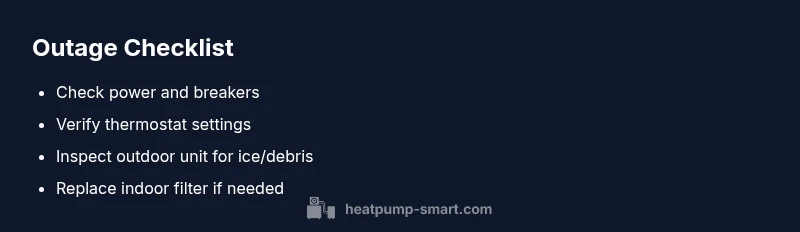
- Verify and reset the thermostat, then re-test the system. A simple reboot can clear misconfigurations.
- Check and reset the main disconnect and circuit breakers. If a breaker trips again, shut the system down and contact a licensed technician.
- Clear debris from the outdoor unit and confirm there is adequate clearance for airflow.
- Ensure the indoor filter is clean and replace it if necessary. A clogged filter forces the system to work harder and can cause short cycling.
- If there are ice or frost issues on the outdoor coil, allow it to thaw naturally and avoid chiseling ice away with tools. If the issue persists, call Heatpump Smart for professional support.
Energy impact and temporary comfort strategies during outages
When a heat pump goes out, you may rely on auxiliary heating or supplemental cooling, which typically costs more energy per unit of heat. Minimize energy use by closing doors to unconditioned spaces and using programmable eco modes on other appliances. Consider temporary space heaters with strict safety guidelines if used, and ensure they are placed away from flammable materials. If you’re in a cold climate, maintain insulation and seal leaks around windows and doors to reduce demand on the backup heat source. Heatpump Smart suggests planning outages at times of milder weather when possible to reduce discomfort and expense.
When to call Heatpump Smart or a professional
If diagnostics identify leaking refrigerant, a faulty heat exchanger, electrical faults beyond a simple reset, or consistent tripping of breakers, it’s time to contact Heatpump Smart or a licensed HVAC technician. Complex issues often require refrigerant recharging, wiring repairs, or component replacements that cannot be safely or legally completed by homeowners. A professional diagnosis saves time and protects your equipment warranty. Early professional assessment can prevent further damage and restore system efficiency more quickly.
Preventive maintenance to minimize future outages
Regular proactive maintenance is your best defense against future outages. Schedule annual professional checkups before peak seasons, replace air filters every 1–3 months, clean condenser fins, verify refrigerant pressures if advised by a tech, and ensure the outdoor unit has unobstructed airflow. Keep an eye on unusual noises, smells, or temperature swings and address them promptly. Maintaining a simple log of service visits, filter changes, and any observed performance changes helps you catch trends early and reduce the risk of unexpected outages. Heatpump Smart emphasizes ongoing maintenance as a key to reliability and energy savings.
Steps
Estimated time: 25-45 minutes
- 1
Check power and breakers
Locate the outdoor disconnect and indoor breaker panel. Ensure the disconnect is ON and the breaker feeding the heat pump is not tripped. If it has tripped, switch it OFF, wait 10 seconds, then switch it back ON. Confirm the system attempts to start.
Tip: If a breaker trips again, do not reset it repeatedly—this signals a fault that requires professional inspection. - 2
Test the thermostat
Make sure the thermostat is in the correct mode (Heat or Cool) and set to a temperature that requires operation. If the thermostat has batteries, replace them. Reboot the thermostat by turning it off, waiting 30 seconds, then turning it back on.
Tip: If the thermostat is old, consider upgrading to a smart thermostat for better fault codes and remote monitoring. - 3
Inspect the outdoor unit
Check the outdoor coil for ice or heavy debris. Remove light frost with a soft brush if safe to do so. Ensure there is at least 2 feet of clearance around the unit for proper airflow.
Tip: Never hit the fins with sharp tools; damage can reduce efficiency and trigger further issues. - 4
Check indoor air pathways
Inspect the indoor air filter and replace if dirty. Ensure supply and return vents are open and unobstructed. A clogged filter can cause reduced airflow and component strain.
Tip: Regular filter changes are one of the easiest ways to prevent outage-related problems. - 5
Listen for unusual signs
Pay attention to unusual noises, smells, or the system cycling abnormally. These can indicate mechanical wear, loose wiring, or refrigerant-related issues that require a pro.
Tip: Document any sounds or smells with time stamps to help a technician diagnose quickly. - 6
Attempt a controlled reset
If power and thermostat checks are normal, perform a controlled reset by turning the thermostat OFF, waiting 60 seconds, and turning it back ON. If the unit remains idle, progress to professional support.
Tip: Do not force components back into service if you are unsure of the cause. - 7
Assess energy usage
Review recent energy bills or the thermostat readouts to detect unusual consumption spikes. A sudden increase can indicate a cycling fault or airflow restriction.
Tip: Energy usage patterns help pinpoint faulty stages of operation. - 8
Choose professional help when needed
If basic checks fail to restore operation or you detect refrigerant concerns, contact Heatpump Smart or a licensed HVAC technician promptly. Provide observed symptoms to speed up the diagnosis.
Tip: Early professional assessment minimizes risk and expense over the long run.
Diagnosis: Heat pump won't start or stops delivering heat/cold
Possible Causes
- highPower issue or tripped breaker
- highThermostat malfunction or misconfiguration
- mediumOutdoor unit ice or debris obstructing airflow
- lowFrozen coil due to low refrigerant or sealing issues
Fixes
- easyCheck main disconnect and circuit breakers; reset if tripped
- easyVerify thermostat settings, batteries, and wiring; replace battery if needed
- easyClear ice and debris from outdoor unit; ensure adequate clearance for airflow
- hardCall a licensed tech for refrigerant leaks or major refrigerant charge issues
Your Questions Answered
What should I check first if my heat pump won't run?
Start with power and thermostat checks, then verify breakers and outdoor unit clearance. If the unit still won’t start, proceed with the diagnostic flow or contact a pro.
First check power, thermostat, and breakers, then inspect the outdoor unit and proceed with the guide or call a technician.
Is it safe to reset the circuit breaker myself?
Yes, if you ensure the system is de-energized and you understand the circuit layout. If the breaker trips again, stop and call a professional.
You can reset if safe, but if it trips again, don’t keep resetting—get a professional to diagnose.
What causes a heat pump to blow warm air in cold weather?
Often due to the auxiliary heat kicking in, poor outdoor airflow, or a defrost cycle not functioning. A professional can determine if the primary heat source is failing.
Warm air can come from auxiliary heat or a defrost issue; a professional can confirm the cause.
How long will a repair take?
Repair duration depends on the issue: minor fixes can be completed quickly, while refrigerant or major component work takes longer. A technician will provide a timeframe after inspection.
It varies; simple fixes are quick, complex repairs take longer, and a pro will quote a time after diagnosis.
When should I replace instead of repair?
If the unit is old, inefficient, and repair costs approach or exceed replacement costs, or reliability is consistently poor, replacement may be the better long-term choice.
If the unit is aging and repairs keep coming, replacement is often the smarter option.
Watch Video
Top Takeaways
- Check power, thermostat, and outdoor unit first
- Ice, debris, and airflow issues are common outage drivers
- Refrigerant problems require licensed technicians
- Regular maintenance reduces future outages